

Templates you can work with
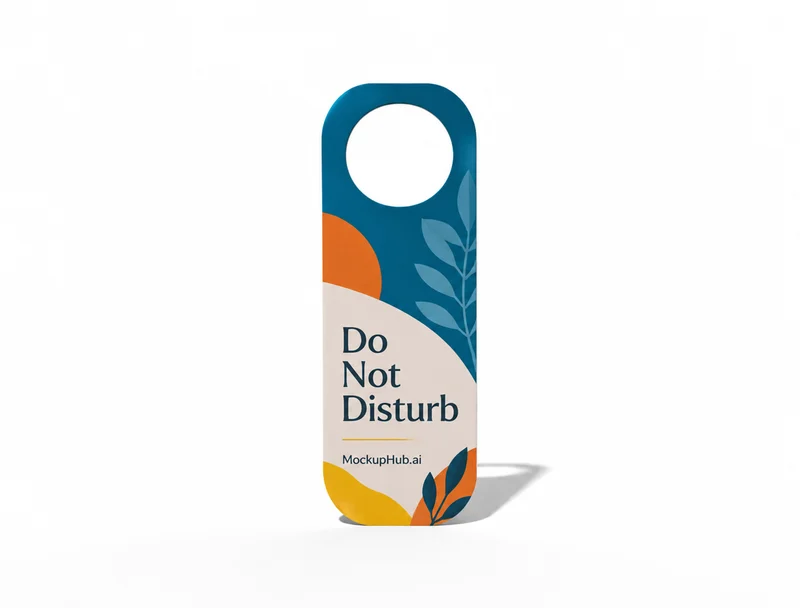
80 x 200 mm Door Hanger
Review a room message on the tall acrylic hanger. Keep the door-handle opening visible when positioning the main text.
View template80 x 200 mm Door Sign Hanger
Compare branding on the door-sign face. Check whether its narrow layout leaves enough space around the guest message and opening.
View templateHow to choose a flyer mockup
Check the door-hanger shape
Choose a flyer mockup only after checking the current acrylic door-hanger shape. Match its opening and silhouette to the promotion you need to present. A flat paper handout has a different construction and requires a suitable template.
Keep the headline clear of the hanging opening and trimmed edges. Compare the proposed layout with the supplier’s actual cut shape, preserving the source proportions before reviewing the complete object.
Review the artwork on acrylic
Use a short heading and a clear background edge to test the artwork against the acrylic body. Check where the printed area stops around the hanging opening before adding contact details or a smaller offer line.
Inspect the available body controls separately from the uploaded design. A part-color change leaves the image’s text and background intact. Review the complete silhouette and then reduce it to the intended presentation size.
Show the complete hanging format
Keep the complete silhouette and hanging opening visible in an overview. Clients need to recognize the door-mounted format before reviewing a close crop of the offer. Use a front-facing view when reading the message is the main task.
Confirm the physical acrylic, cut shape and decoration method with the supplier. Supply the original layout with the specified edge clearance and inspect a sample for the final printed finish.
Export formats and image dimensions
Use 2K (2048-pixel long edge) for door-hanger proposals, 4K (4096) for larger presentations and 8K (8192) for detailed crops. The other dimension follows your aspect ratio. Start with a sharp upload.
Choose PNG for transparency or crisp edges; JPG for smaller opaque images. Check small text again after resizing or cropping. Check web pixel requirements or the printer’s PPI for printed presentations. Your flyer mockup is a presentation image. Supply original flat artwork with trim, bleed and safe area separately.
Common uses for this collection
Review a guest-room message beneath a hanging opening.
Compare a service reminder’s headline and contact line.
Prepare an accurate acrylic door-sign proposal.
Check a promotional graphic clear of the upper cutout.
Flag a paper-leaflet requirement before the wrong template is approved.
Frequently asked questions
Which flyer mockup fits my project?
Match the display shape and material to the promotional piece before placing the message. For the acrylic door-hanger examples, keep the opening and narrow lower body visible while judging the headline.
What can I edit in a flyer mockup?
Upload your design to the template’s artwork area. Check its available body color controls and material presets before editing; a product-color change is separate from the graphic saved in your image.
How do I prepare artwork for a door hanger mockup?
Keep the main message on the uninterrupted lower body, clear of the hanging opening. Use a full front view to judge the reading order before inspecting small contact details.
How do I check a border in an acrylic door hanger mockup?
Test a simple border against the outer edge and upper opening before adding the final design. Preserve the source proportions and use the maker’s actual cut shape to set print clearance.
How do I compare guest messages in a door sign mockup?
Use the same front angle and artwork scale for each message. Check the headline first at the final proposal size, then review supporting wording in a closer view.
Where should the main message sit on the door hanger?
Use the uninterrupted lower body and leave a clear gap around the hanging opening. Show the full silhouette in at least one view so the client can understand the object rather than seeing only a cropped headline.
Preview flyer mockups with your own artwork and compare the result from a readable angle. Choose a matching template to start your design.