3D Mockup
Paper Flyer Mockup for Advertising Print Layouts
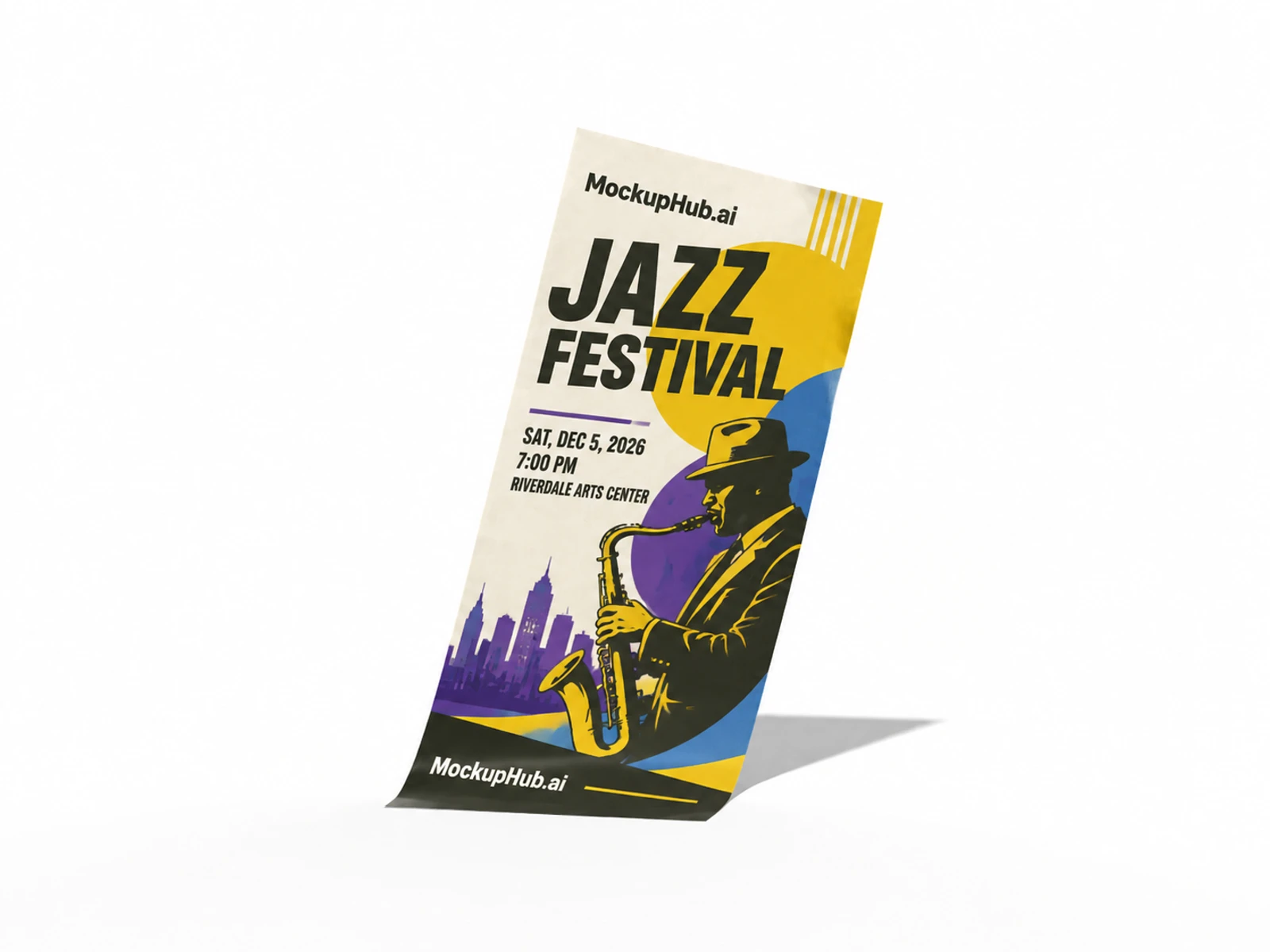
Reference preview
Reference cover; your result depends on your artwork and editor settings.
Show advertising or event graphics on a 350 g white paperboard flyer mockup.
- 1 design area
- 1 finish
- Recolor parts
- JPG / PNG
Template details
Its 0.5 mm specification gives print layout reviews useful product context.
Artwork
Artwork
- Design canvas
- 741 × 869 px
- Artwork size
- 196 × 230 mm
- Suggested upload
- 333 × 869 px
Customization
- Material presets
- Coated
- Recolorable parts
- Body
Export
- Image export
- JPG / PNG
- Image resolution
- 2K2,048 px long edge
- 4K4,096 px long edge
- 8K8,192 px long edge
- Artwork PDF
- With dimensions
Usage notes
Suggested uploads use the editor’s 96 DPI placement rule, sometimes for a main face rather than the full canvas. They are not print-resolution requirements.
For visual previews. Before production, confirm dimensions, colors and print requirements with your manufacturer.
Design guide
This flyer template lists a recommended image that is narrower than its upload canvas. Keep that distinction in mind when preparing a layout with event details, sale prices, or contact information.
Fit your image to the flyer canvas
Upload your design to the Artwork surface. The canvas measures 741 × 869 pixels; use those dimensions to prepare an image with the same proportions. The separately listed recommendation is 333 × 869 pixels. If you use that narrower size, inspect its placement in the preview before sharing the result.
The artwork sheet measures 196 × 230 mm. This describes the flat artwork area, not the finished flyer dimensions. The template is fixed in size.
Check dates, prices, and paper color
Recolor the Body to compare paper colors with your design. Coated is the model's visual material preset. After adjusting the color, check that small text remains readable and that dates, prices, and contact details are correct.
Export JPG or PNG images at 2K, 4K, or 8K, with long edges of 2,048, 4,096, or 8,192 pixels respectively. For a flat layout review, export the Artwork PDF with dimensions.
Use cases
- Theater event announcement: Prepare a flyer preview showing the date, venue, and ticket details for a community theater performance.
- Shop sale approval: Create a shop sale approval image showing featured products, discount amounts, and offer dates for staff review.
- Volunteer recruitment proof: Export a volunteer recruitment Artwork PDF with role descriptions, contact details, and the application deadline for proofreading.
Browse other published templates using the same material preset.
From artwork to mockup
Upload design
Choose a design area and place your artwork.
Customize
Use the available controls to style your scene.
Export
Choose your image format and resolution.