

Templates you can work with
Clothing Tag
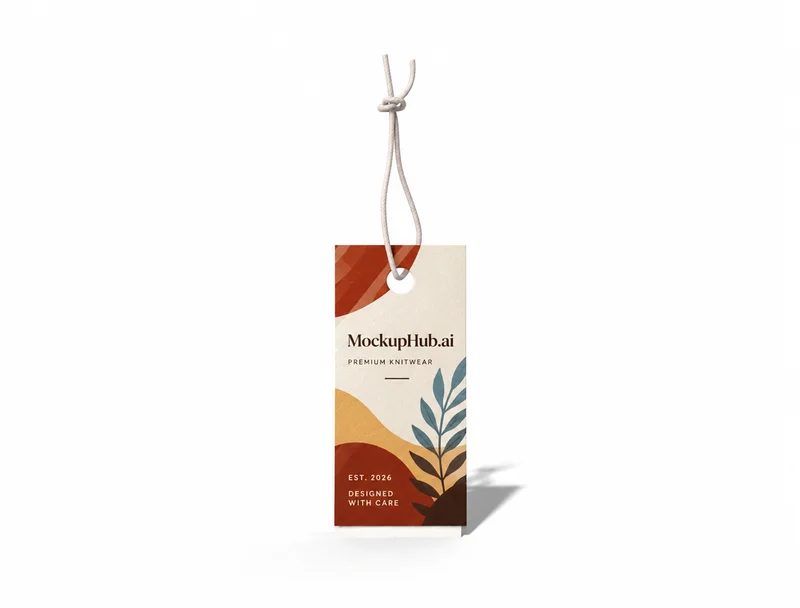
Review branding on the tall, narrow clothing tag. Compare body and cord colors while keeping text clear of the attachment.
View templateShirt Tag
Use the compact shirt tag for price and product information. Check the logo’s scale beside the cord and remaining text.
View templateHow to choose a label mockup
Leave room for the hole and cord
Choose a label mockup with the hanging tag shape and attachment your garment needs. Check the space below the hole and beside the trim before arranging the brand, item information and price. Keep the complete outline visible while judging the layout.
Preserve the artwork’s proportions and compare the tag with the printer’s cut template. Use a different format for adhesive labels or stickers rather than assuming the same attachment and boundary.
Check the printed board surface
Test a small wordmark and thin rule beneath the attachment point. Inspect their clearance around the hole and trimmed edges before adding the final product information. A simple border helps expose an unintended crop or margin.
Compare available body and cord colors with that design fixed. Changing those parts leaves text and background colors in the uploaded image unchanged. Check the tag again at its actual intended reading size.
Prioritize the tag information
Keep brand, item information and price in a clear reading order. Check the main name at normal scale before adding decorative text, and leave space around holes and trimmed edges. Show the cord and complete tag in the overview.
Give the printer the original flat artwork with its specified cut shape, bleed and safe area. Confirm the stock and attachment clearance, then inspect a proof for small type and final color.
Export formats and image dimensions
Use 2K (2048-pixel long edge) for hang-tag proposals, 4K (4096) for larger presentations and 8K (8192) for detailed crops. The other dimension follows your aspect ratio. Start with a sharp upload.
Choose PNG for transparency or crisp edges; JPG for smaller opaque images. Check small text again after resizing or cropping. Check web pixel requirements or the printer’s PPI for printed presentations. Your label mockup is a presentation image. Supply original flat artwork with trim, bleed and safe area separately.
Common uses for this collection
Compare a fashion identity beneath a hanging cord.
Review a price line clear of the tag’s attachment hole.
Check a short brand message at a realistic tag size.
Prepare a clothing launch presentation with the tag construction visible.
Discuss trim margins before ordering printed retail tags.
Frequently asked questions
Which label mockup fits my project?
These templates show hanging clothing tags with cords. Use them for that board construction, leaving room around the attachment; sewn textile labels and adhesive container labels need different artwork areas and materials.
What can I edit in a label mockup?
Upload your design to the template’s artwork area. Check its available body and cord color controls and material presets before editing; a product-color change is separate from the graphic saved in your image.
How do I arrange information in a clothing label mockup?
For a hanging tag, place the brand first and keep product details clear of the cord hole. Check the price or size at normal reading scale before adding decorative text.
How do I keep a logo clear of the hole in a hang tag mockup?
Leave a visible gap below the attachment and check the complete outline. Use the printer’s cut template to set the actual safe area rather than filling the entire tag face.
Can I compare cord colors in a garment tag mockup?
Use the selected tag’s cord control where available with the printed artwork fixed. Check whether the cord separates from the body and leaves the main brand readable.
Can I approve a retail barcode from the rendered image?
Use the scene to discuss where the code sits within the tag layout. Prepare it in the original production artwork and test the physical print separately, since a perspective image cannot verify scanning.
Preview label mockups with your own artwork and compare the result from a readable angle. Choose a matching template to start your design.