

Templates you can work with
3.5 x 2" Classic Standard Business Card
Compare a logo and contact hierarchy on the rectangular card. Inspect spacing near the edges in the white-board appearance.
View templatePlant Care Tag
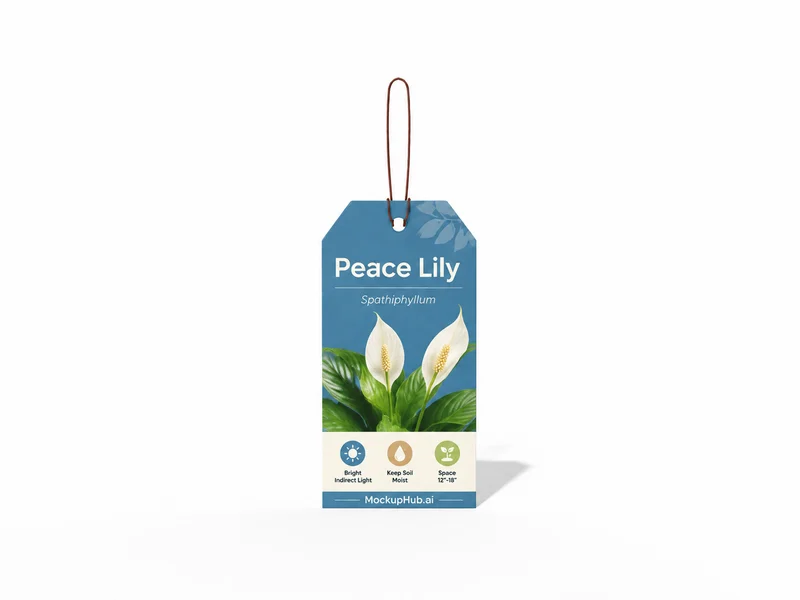
Use the garden tag for plant names and care notes. Check small text and keep the cord area in view.
View templateHow to choose a card mockup
Match the card and attachment
Choose a card mockup with the rectangular or plant-tag shape your message needs. Check the visible face, attachment hole and outer edge before sizing a name or illustration. Keep the whole silhouette visible while comparing proportions.
Preserve the artwork’s aspect ratio and leave important details clear of holes and trim. Use the printer’s actual cut shape and safe area to confirm the final design rather than relying on the preview alone.
Check the artwork against the board
Upload a simple name and border to check the usable face. Inspect corners and any hanging hole before adding smaller information. A border makes an unintended crop easier to spot, especially in a reduced product view.
Keep the design fixed while comparing available body or cord colors. Those controls change the surrounding item; text and backgrounds already saved in the upload stay in the source image.
Keep small information readable
Check the principal name at normal reading scale before adding secondary information. Leave visible space beside holes and trimmed edges so the layout stays clear. Show the complete tag or card alongside a closer view of small type.
Give the printer the original artwork with the correct cut shape, bleed and safe area. Confirm hole clearance and stock with its production guide, then approve the printed result from a proof.
Export formats and image dimensions
Use 2K (2048-pixel long edge) for card proposals, 4K (4096) for larger presentations and 8K (8192) for detailed crops. The other dimension follows your aspect ratio. Start with a sharp upload.
Choose PNG for transparency or crisp edges; JPG for smaller opaque images. Check small text again after resizing or cropping. Check web pixel requirements or the printer’s PPI for printed presentations. Your card mockup is a presentation image. Supply original flat artwork with trim, bleed and safe area separately.
Common uses for this collection
Review a business name with clear space around the trim.
Check a plant-care message beneath a tag’s attachment point.
Compare a card’s background color with a brand identity.
Prepare a stationery presentation with a readable contact line.
Discuss a small card’s border before printing a sample.
Frequently asked questions
Which card mockup fits my project?
Compare the business-card rectangle with the plant-care tag before placing the design. Keep names and contact details inside the relevant safe area, allowing extra clearance for a tag’s hole or attachment.
What can I edit in a card mockup?
Upload your design to the template’s artwork area. Check its available body and cord color controls and material presets before editing; a product-color change is separate from the graphic saved in your image.
Where should care instructions sit in a plant tag mockup?
Place the plant name first, leaving a clear gap beneath the attachment hole. Check the care text at normal reading size with the complete tag visible.
How do I check contact details in a business card mockup?
Review the name, role and contact hierarchy inside the card’s trim margins. Use the intended card dimensions to judge type size, with a close view reserved for edge and alignment detail.
How do I check a border in a printed card mockup?
Start with a simple border to reveal an unintended crop near the corners. Keep the artwork in proportion and compare the margin with the printer’s actual trim and safe-area guide.
How do I check small text without enlarging it too much?
Review the design at the size someone will actually hold or read. Keep a closer view for edge quality, but use the actual card dimensions and a physical proof to judge type size and trimming clearance.
Preview card mockups with your own artwork and compare the result from a readable angle. Choose a matching template to start your design.