

Templates you can work with
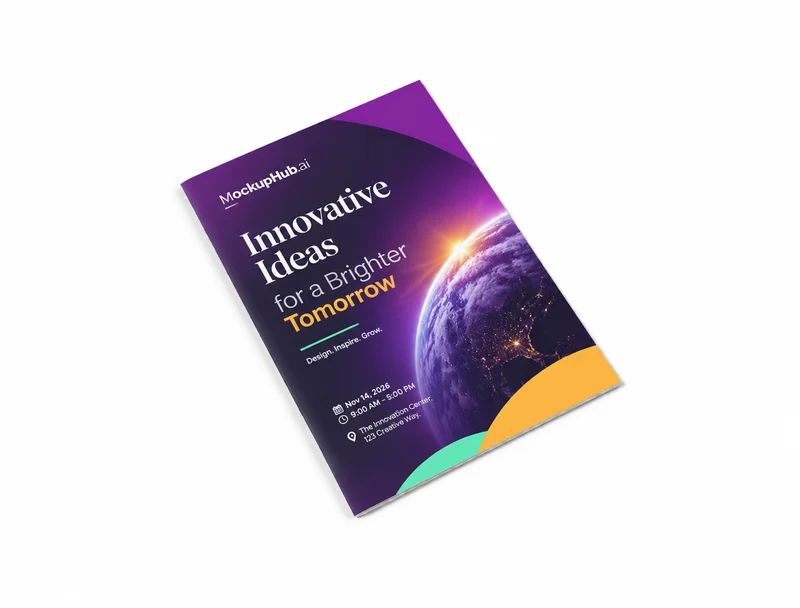
A4 Brochure Booklet
Review an A4 booklet with its page edges visible. Check how cover branding sits beside the staples and inner pages.
View templateA4 Brochure Template
Use the landscape A4 brochure for a combined layout. Compare the body and staples colors around the uploaded page artwork.
View templateHow to choose a brochure mockup
Match the booklet construction
Choose a brochure mockup with the correct booklet binding and page direction. Check the cover, visible spread and finished proportions before positioning the content. A bound booklet and a folded sheet need different layouts and reading sequences.
Keep essential text clear of the spine and outer trim. Compare the artwork with the printer’s actual page template, preserving the source proportions instead of stretching a cover to fit a different format.
Check artwork and page edges
Test the cover’s top edge and a short heading before adding the final layout. Rotate or inspect the visible spread to catch an unintended margin, reversed page or crop. Check which artwork regions the selected template actually exposes.
Keep supporting text within the printer’s safe area. Change available surrounding part colors separately from the uploaded pages, then return to the intended presentation view to review the reading direction.
Review page direction and binding
Keep the cover orientation clear in the complete booklet view. Use a closer spread image when typography or a photograph needs review, with enough binding visible to explain the format. Check small text at the final presentation size.
Review the full reading sequence in the original flat document. Ask the printer to confirm pagination, trim and bleed, then use a proof to approve the actual printed pages.
Export formats and image dimensions
Use 2K (2048-pixel long edge) for booklet proposals, 4K (4096) for larger presentations and 8K (8192) for detailed crops. The other dimension follows your aspect ratio. Start with a sharp upload.
Choose PNG for transparency or crisp edges; JPG for smaller opaque images. Check small text again after resizing or cropping. Check web pixel requirements or the printer’s PPI for printed presentations. Your brochure mockup is a presentation image. Supply original flat artwork with trim, bleed and safe area separately.
Common uses for this collection
Present an A4 brochure cover for a service business.
Check a title’s clearance beside a booklet binding.
Review the orientation of artwork on an open brochure.
Prepare a client board showing a printed product guide.
Flag a trifold requirement before the wrong construction is approved.
Frequently asked questions
Which brochure mockup fits my project?
Match the page direction, binding and visible artwork areas to the brochure you are presenting. The A4 booklet examples help you compare covers and spreads beside staples and page edges.
What can I edit in a brochure mockup?
Upload your design to the template’s artwork area. Check its available body color controls and material presets before editing; a product-color change is separate from the graphic saved in your image.
How do I check cover orientation in a booklet mockup?
Upload a test cover with an upward arrow and a clear heading. Inspect the cover and visible spread before replacing the test layout with the finished pages.
How do I compare portrait and landscape layouts in an A4 brochure mockup?
Prepare artwork for the chosen page direction rather than stretching the same cover. Keep the complete booklet and binding visible while comparing the title, image crop and margins.
How do I review small type in a print brochure mockup?
Use a readable overview for the cover or spread, then add a closer detail view. Check the original layout and printer’s proof at the actual page size before approving the full document.
Can the preview confirm my complete page order?
Use it to discuss the visible cover and page orientation. Review every page in the original production document and the printer’s proof, including imposition and binding clearance, before approving the full booklet.
Preview brochure mockups with your own artwork and compare the result from a readable angle. Choose a matching template to start your design.