

Templates you can work with
Mailing Envelope
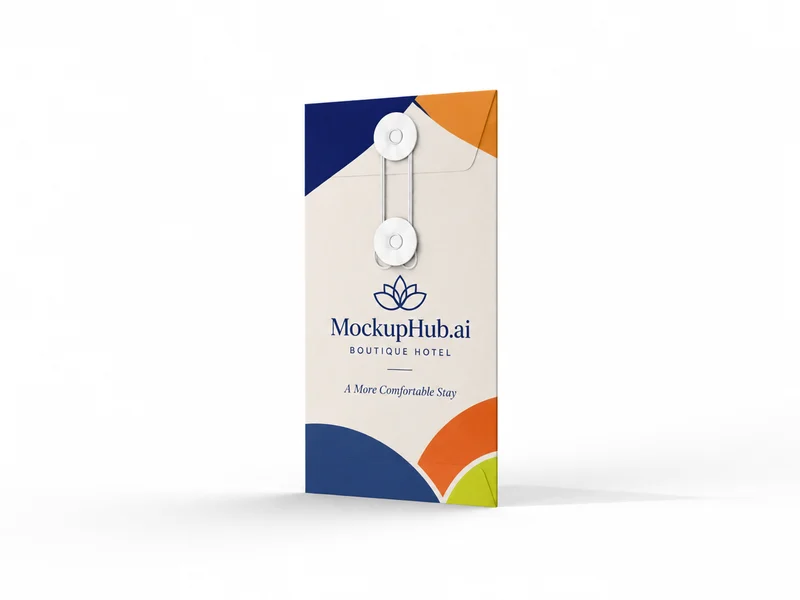
Review an invitation identity on the mailing envelope’s panels and flap. Compare kraft or white-board appearances with the ring, button and tie cord framing the design.
View templatePostage Stamp Design
Focus on a compact stamp illustration and its small lettering. Inspect the graphic beside the separate postmark detail, using a close view as well as the full stamp.
View templateHow to choose a stationery mockup
Check the envelope and closure
Choose a stationery mockup by its envelope panels, closure or stamp-design shape. Check which face carries the identity before sizing the wordmark. A front panel, flap and tied closure give the same design different surrounding space.
Keep important information clear of folds and attachments, preserving the artwork’s proportions. Compare the layout with the printer’s actual envelope template or cut shape before using the preview to approve placement.
Keep artwork clear of practical areas
Use a short wordmark and a clear top edge to test the upload. Inspect the front and flap for reversed orientation or an unintended margin before adding smaller address details. Keep text within the printer’s safe area.
Compare available envelope or closure colors separately from the uploaded image. A background saved inside the artwork stays visible, so prepare transparent margins only where the template should show through.
Present the actual mailed item
Keep the front, flap and tie relationship clear in the proposal. Decorative details should leave the practical address and closure areas easy to recognize. Show the full item beside any close crop of a wordmark or stamp design.
Ask the printer for the original production layout’s trim, bleed and folding requirements. Check the actual paper and closure in a sample, then approve the final color and small text from a proof.
Export formats and image dimensions
Use 2K (2048-pixel long edge) for stationery proposals, 4K (4096) for larger presentations and 8K (8192) for detailed crops. The other dimension follows your aspect ratio. Start with a sharp upload.
Choose PNG for transparency or crisp edges; JPG for smaller opaque images. Check small text again after resizing or cropping. Check web pixel requirements or the printer’s PPI for printed presentations. Your stationery mockup is a presentation image. Supply original flat artwork with trim, bleed and safe area separately.
Common uses for this collection
Compare a wedding identity on kraft and white envelopes.
Review a logo clear of a button-and-tie closure.
Check orientation on the front of a mailing envelope.
Prepare a decorative stamp graphic for a brand presentation.
Show a printer the intended position of an invitation motif.
Frequently asked questions
Which stationery mockup fits my project?
Choose the tie-closure envelope or stamp-design scene that matches your proposal. Check the front, flap and address area before placing the identity; a stamp-style presentation does not establish valid postage or postal acceptance.
What can I edit in a stationery mockup?
Upload your design to the template’s artwork area. Check its available body and ring color controls and material presets before editing; a product-color change is separate from the graphic saved in your image.
How do I check flap direction in an envelope mockup?
Start with a front marker and an upward arrow in the test artwork. Inspect the flap and main panel beside the tie closure before replacing the test design with the finished identity.
How do I compare kraft and white in a branded stationery mockup?
Keep the logo and camera steady while choosing the available board appearance. Check fine lines and transparent margins against the brown surface at the final presentation size.
How do I show small details in a business stationery mockup?
Pair the complete item with a close view of the wordmark or stamp illustration. Keep the same artwork proportions in both so the close detail does not misrepresent its scale.
Where should I leave space for mailing information?
Keep the address and postage areas separate from decorative artwork according to the intended postal service’s requirements. Review the flap and tie closure as well, then confirm the real envelope and printing template before ordering.
Preview stationery mockups with your own artwork and compare the result from a readable angle. Choose a matching template to start your design.