

Templates you can work with
Sticker Roll
Inspect repeating artwork around the sticker roll. Check the visible spacing and compare the core color with the printed design.
View templateSticker Tape Roll
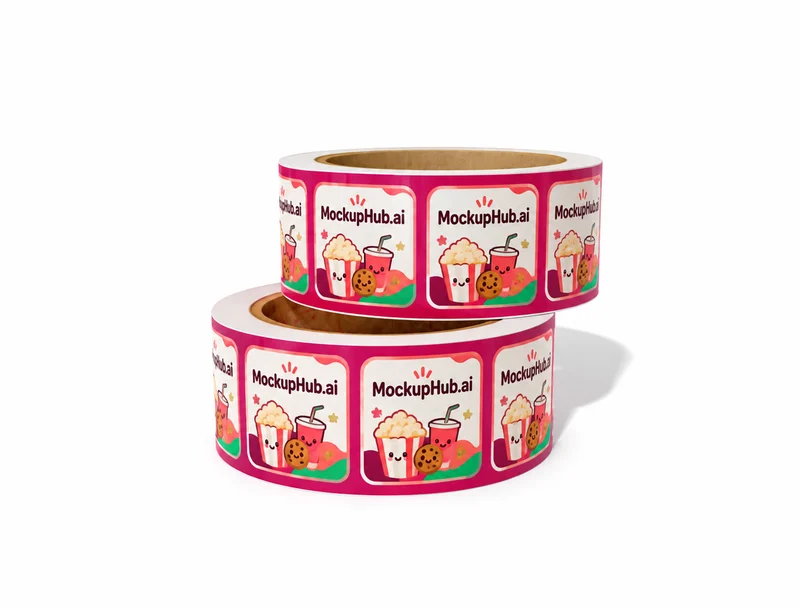
Review continuous branding on the tape-roll presentation. Rotate it to inspect pattern transitions where the design curves around the core.
View templateHow to choose a sticker mockup
Match the label and roll direction
Choose a sticker mockup by the exposed label face and repeat direction. The overall roll diameter does not tell you the size of each sticker. Compare the visible face with the printer’s actual label dimensions before placing the graphic.
Keep names clear of trimmed edges and preserve the artwork’s proportions. Show a complete roll view while checking the repeat, then inspect a closer label image for the individual design.
Check the artwork and background
Use a simple logo and a clear background edge to check the sticker artwork. Inspect the face, direction and spacing before adding fine text or a detailed pattern. Keep the source layout within the printer’s cut and safe-area boundaries.
Compare the available roll-core color separately from the uploaded design. Changing that surrounding part leaves the label’s text and background unchanged, so prepare those colors in the original image.
Use the printer’s cut and repeat guide
Keep the full roll visible beside a close label view. Clients can then judge repeat direction as well as the individual graphic. Use consistent angles when comparing designs, and check small lettering at the intended reading size.
Confirm the actual label dimensions, winding direction and adhesive with the printer. Send the original flat artwork with its required bleed and safe area, then review a printed proof or sample before ordering.
Export formats and image dimensions
Use 2K (2048-pixel long edge) for sticker-roll listings, 4K (4096) for larger presentations and 8K (8192) for detailed crops. The other dimension follows your aspect ratio. Start with a sharp upload.
Choose PNG for transparency or crisp edges; JPG for smaller opaque images. Check small text again after resizing or cropping. Check web pixel requirements or the printer’s PPI for printed presentations. Your sticker mockup is a presentation image. Supply original flat artwork with trim, bleed and safe area separately.
Common uses for this collection
Review a brand mark on an exposed sticker-roll face.
Compare repeated graphics with a contrasting roll core.
Check a narrow border near the label’s cutting edge.
Prepare a packaging-seal proposal for a small retailer.
Discuss label orientation before ordering an applicator roll.
Frequently asked questions
Which sticker mockup fits my project?
The current templates show sticker rolls. Match the exposed label face and repeat to the job, then confirm the real label size, winding direction and core requirements with the printer or applicator supplier.
What can I edit in a sticker mockup?
Upload your design to the template’s artwork area. Check its available body and roll core color controls and material presets before editing; a product-color change is separate from the graphic saved in your image.
How do I check repeat direction in a sticker roll mockup?
Upload a simple directional motif and inspect the exposed label as it turns around the roll. Keep the full roll visible so the client can understand the repeat and winding direction.
How do I compare a tape layout in a label roll mockup?
Check the selected artwork region and prepare the repeat to its proportions. Inspect the exposed strip and the curve around the core before increasing pattern density.
Why is a narrow border uneven in a printed sticker mockup?
Check the source proportions and its position inside the model’s label region. Test a simple border first, then compare it with the printer’s actual cut and safe-area requirements.
Does a transparent upload specify clear stock or white ink?
Transparency controls how the uploaded graphic appears in the scene. Choose the real label stock and prepare any white-ink layer using the printer’s instructions, then check a physical sample on the intended product.
Preview sticker mockups with your own artwork and compare the result from a readable angle. Choose a matching template to start your design.