

Templates you can work with
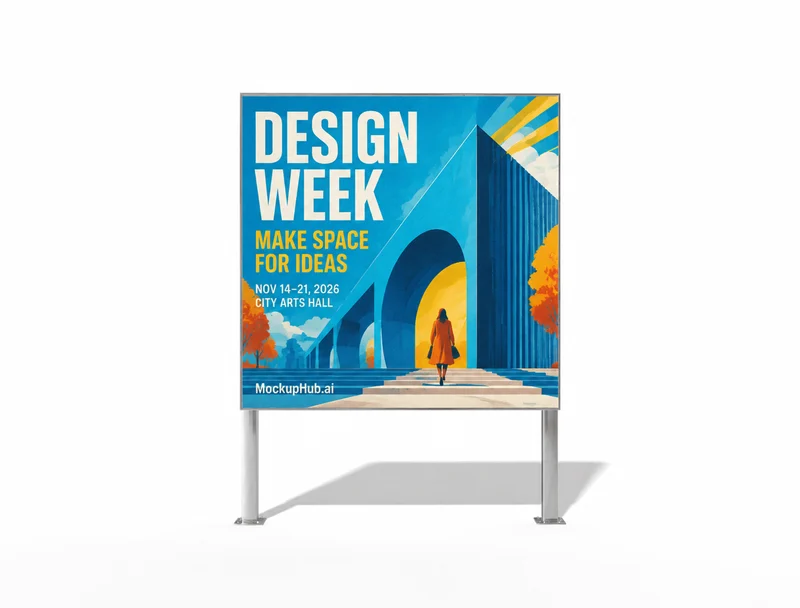
Square Billboard
Use the square display for a compact campaign composition. Check artwork margins against the frame and visible screw details.
View templateStreet Billboard
Review a tall street-sign layout on the supplied billboard. Inspect headline spacing within its frame before exporting a proposal.
View templateHow to choose a billboard mockup
Match the display ratio
Choose a billboard mockup by the actual display ratio and intended reading distance. A square face needs a different image crop from a wide roadside panel. Match the supplier’s visible dimensions before placing the main message.
Keep the headline short enough to read in a reduced overview. Preserve the photograph’s proportions and leave the frame visible while checking which parts of the composition approach the display boundary.
Check the frame and face
Hold the headline and image crop steady while checking the visible face, outer frame and hardware. Keep essential words clear of those edges, comparing the layout with the display supplier’s safe area rather than the render’s surrounding space.
Inspect the available face or frame controls separately from the uploaded artwork. Recoloring a support does not change text inside your image, so prepare the final layout in the source file.
Use the printer’s resolution guide
Test the principal message in a small overview before inspecting image detail. Use a view that shows the full advertising face, with a closer crop only when the photograph or type needs discussion. Keep the display ratio consistent across concepts.
Ask the printer for the required production scale and resolution at viewing distance. Prepare the flat artwork to those specifications and confirm the final crop with a proof.
Export formats and image dimensions
Use 2K (2048-pixel long edge) for campaign proposals, 4K (4096) for larger presentations and 8K (8192) for detailed crops. The other dimension follows your aspect ratio. Start with a sharp upload.
Choose PNG for transparency or crisp edges; JPG for smaller opaque images. Check small text again after resizing or cropping. Check web pixel requirements or the printer’s PPI for printed presentations. Your billboard mockup is a presentation image. Supply original flat artwork with trim, bleed and safe area separately.
Common uses for this collection
Compare a short headline on a square outdoor display.
Review a narrow street campaign’s brand hierarchy.
Check a large photograph after a proposed crop.
Prepare a client proposal with a recognizable outer frame.
Discuss headline legibility before booking a display format.
Frequently asked questions
Which billboard mockup fits my project?
Compare the square and narrower street-display shapes with the actual advertising site. Compose one clear message for the intended viewing distance, keeping the logo proportionate rather than squeezing a wide campaign into a different ratio.
What can I edit in a billboard mockup?
Upload your design to the template’s artwork area. Check its available body and frame color controls and material presets before editing; a product-color change is separate from the graphic saved in your image.
How do I check a headline in an outdoor advertising mockup?
Start with a reduced overview that keeps the whole advertising face visible. Make sure the main message reads before inspecting small photographic detail or supporting copy.
How do I adapt a wide campaign to a square billboard mockup?
Recompose the image crop and text hierarchy for the square face instead of compressing the complete layout. Keep the logo in proportion and compare the main message with the frame visible.
Which view should I choose for a 3D billboard mockup?
Use a readable front view for the message and an angle to explain the display structure. Keep the crop consistent so the client can compare the design rather than different image boundaries.
Does a billboard need 300 PPI at its full printed size?
Ask the printer for the required production scale and resolution at the expected viewing distance. Check effective pixels after cropping; a blanket 300-PPI rule can be unsuitable for a distant outdoor display.
Preview billboard mockups with your own artwork and compare the result from a readable angle. Choose a matching template to start your design.