

Templates you can work with
Round Tea Can
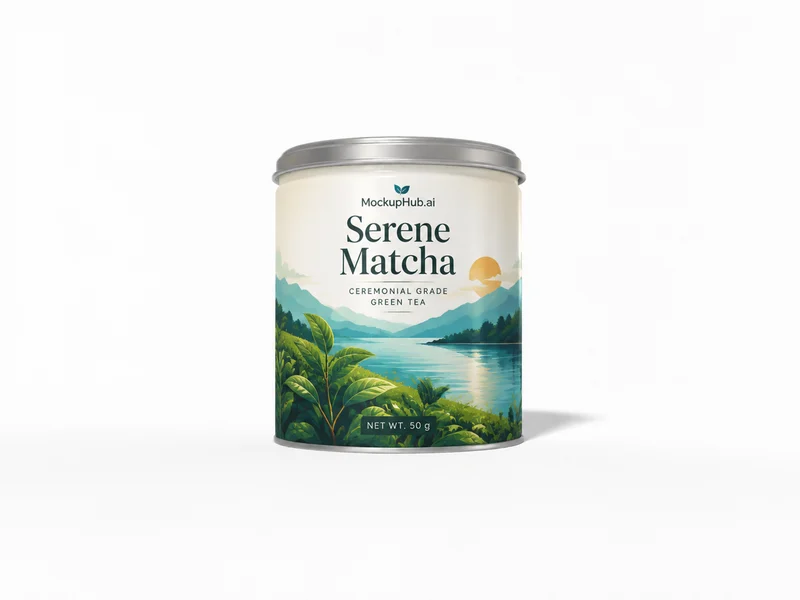
Place tea graphics around the round metal body. Inspect label curvature and compare the lid color with the main artwork.
View templateCylindrical Tea Tin Can
Review a tea range on the cylindrical tin. Compare matte and glossy metal while keeping the front title readable.
View templateHow to choose a food packaging mockup
Match the tin proportions
Choose a food packaging mockup whose straight tin wall and lid leave enough room for your label. The current collection contains tea tins, so compare the height, diameter and label area with the container drawing before placing the artwork.
Keep blend names away from the lid and lower edge. Use another packaging category when the project needs a pouch, jar or meal tray with a different construction.
Check the body and lid
Inspect the brand name and back join with the lid held constant. Use a front-center marker to check the wrap direction before loading the final blend design. Keep the label’s proportions and the supplier’s printable boundaries intact.
Compare a different lid or body color only where the selected template offers that control. Text and backgrounds inside the uploaded image need to be changed in the source artwork.
Compare the metal finish
Hold the label size, front alignment and camera direction steady across tea blends. Compare the available metal finish without changing the artwork, watching for a reflection across a pale name or small ingredient line.
Check each blend at the final store-image size so one flavor does not become harder to identify. Confirm the actual tin finish and decoration with the supplier, and use a printed sample for final color approval.
Export formats and image dimensions
Use 2K (2048-pixel long edge) for tea-range listings, 4K (4096) for larger presentations and 8K (8192) for detailed crops. The other dimension follows your aspect ratio. Start with a sharp upload.
Choose PNG for transparency or crisp edges; JPG for smaller opaque images. Check small text again after resizing or cropping. Check web pixel requirements or the printer’s PPI for printed presentations. Your food packaging mockup is a presentation image. Supply original artwork with package dimensions and bleed separately.
Common uses for this collection
Compare tea blends through distinct front-label colors.
Review a tin’s lid against the main food-brand identity.
Inspect the back join of a cylindrical label.
Prepare consistent ecommerce angles for a tea collection.
Present a metal-container concept before ordering decorated samples.
Frequently asked questions
Which food packaging mockup fits my project?
Choose the package construction before sizing the label, comparing its lid, straight wall and closures with the real container. For a tea-tin project, keep the blend name below the lid and above the lower curve.
What can I edit in a food packaging mockup?
Upload your design to the template’s artwork area. Check its available lid and body color controls and material presets before editing; a product-color change is separate from the graphic saved in your image.
How do I keep blend names consistent in a tea tin mockup?
Use the same front alignment, label height and camera direction for every blend. Check the names together at store-image size before choosing close detail views.
How do I check a wrap join in a food container mockup?
Use a test layout with a clear front center and a back-join marker. Rotate around the container to check the pattern direction before loading small ingredients or instructions.
Why does pale text disappear in a food label mockup?
Inspect the label against the selected container surface and any reflection crossing the text. Keep the angle fixed when comparing finishes, then adjust the source artwork if it still needs more contrast.
How do I compare several tea blends clearly?
Keep the camera angle and label position consistent while changing the blend artwork. Check each name at the final store-image size and retain a second view when the back join needs review.
Preview food packaging mockups with your own artwork and compare the result from a readable angle. Choose a matching template to start your design.