

Templates you can work with
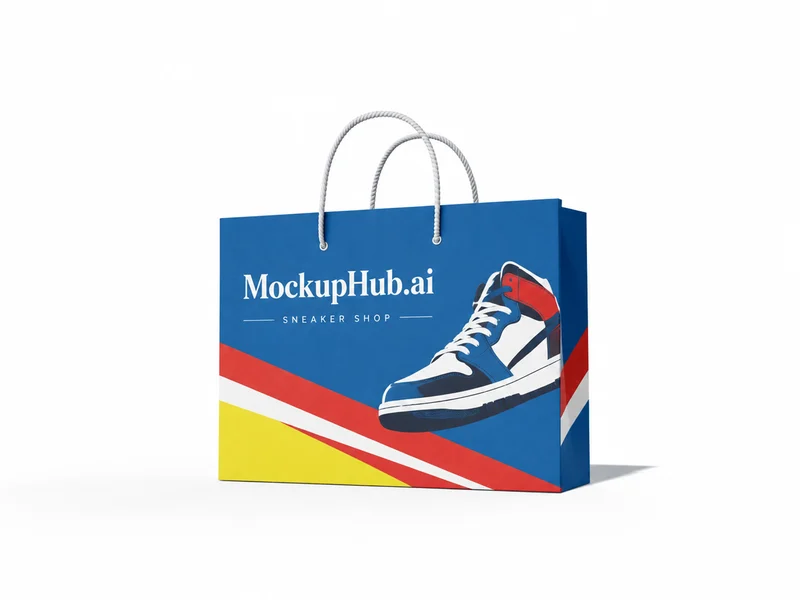
Paper Shopping Tote
Compare the same retail logo on kraft and white-board appearances. Keep the handles and side folds visible to judge the front design against the shopping bag’s depth.
View templateSlim Thermal Tote Bag
Choose the slim tote for its narrow product shape and plastic appearance. Inspect the front graphic with the handle cord visible, then compare matte and glossy reflections.
View templateHow to choose a packaging bag mockup
Match the retail bag shape
Choose a packaging bag mockup by its opening, handle position and side depth. A paper shopping bag and a slim thermal style have different outlines and usable front panels. Match those proportions to the retail package you intend to supply.
Keep a complete bag view while setting the logo size. Use the accessories collection for a fabric tote, whose seams and handles need a different template.
Check the handles and gussets
Place the logo below both handle attachments and inspect the side gussets. Important wording should stay on the readable front rather than turning into a fold. Rotate from the front to an angle to catch interruptions early.
Use a transparent upload when the bag surface should show around the mark. Check available body and handle colors separately; an embedded background rectangle remains part of your uploaded artwork.
Compare paper and plastic
Compare the same logo on kraft and white board before changing its colors. Brown paper can reduce the contrast of pale details; a lighter surface gives those edges a different background. Keep the angle consistent during the comparison.
Treat plastic styles as a separate construction, checking their opening and side shape. Use a supplier sample to confirm the real stock, handle attachment and printed color before ordering.
Export formats and image dimensions
Use 2K (2048-pixel long edge) for retail-bag proposals, 4K (4096) for larger presentations and 8K (8192) for detailed crops. The other dimension follows your aspect ratio. Start with a sharp upload.
Choose PNG for transparency or crisp edges; JPG for smaller opaque images. Check small text again after resizing or cropping. Check web pixel requirements or the printer’s PPI for printed presentations. Your packaging bag mockup is a presentation image. Supply original artwork with package dimensions and bleed separately.
Common uses for this collection
Compare a boutique logo on kraft and white packaging.
Review handle contrast on a gift-shopping bag.
Check a pattern as it approaches a retail bag’s side.
Present a thermal tote’s front graphic for client feedback.
Prepare consistent store images for different shop identities.
Frequently asked questions
Which packaging bag mockup fits my project?
Use this collection for handled retail packaging, including the paper shopping and slim thermal styles. Compare the front, side depth and handle attachments; choose the accessories collection when the product is a reusable fabric tote.
What can I edit in a packaging bag mockup?
Upload your design to the template’s artwork area. Check its available body color controls and material presets before editing; a product-color change is separate from the graphic saved in your image.
How do I compare kraft and white surfaces in a paper bag mockup?
Hold the logo and camera angle steady while switching between the available paper appearances. Check light lettering and transparent margins against the brown stock before changing the design.
Where should my logo sit in a shopping bag mockup?
Keep it below the handle attachments and inside the readable front panel. Turn the bag to inspect side folds before making the logo larger.
Which views help a client review a retail bag mockup?
Use a full front view for the shop identity and an angle to explain depth and handles. Keep the same graphic scale in both views so the placement is easy to compare.
Why does my logo disappear at the side?
The artwork may extend into a gusset or turn away around the body. Compare a straight front view with an angled view, then move important wording onto the readable panel without stretching the logo.
Preview packaging bag mockups with your own artwork and compare the result from a readable angle. Choose a matching template to start your design.