
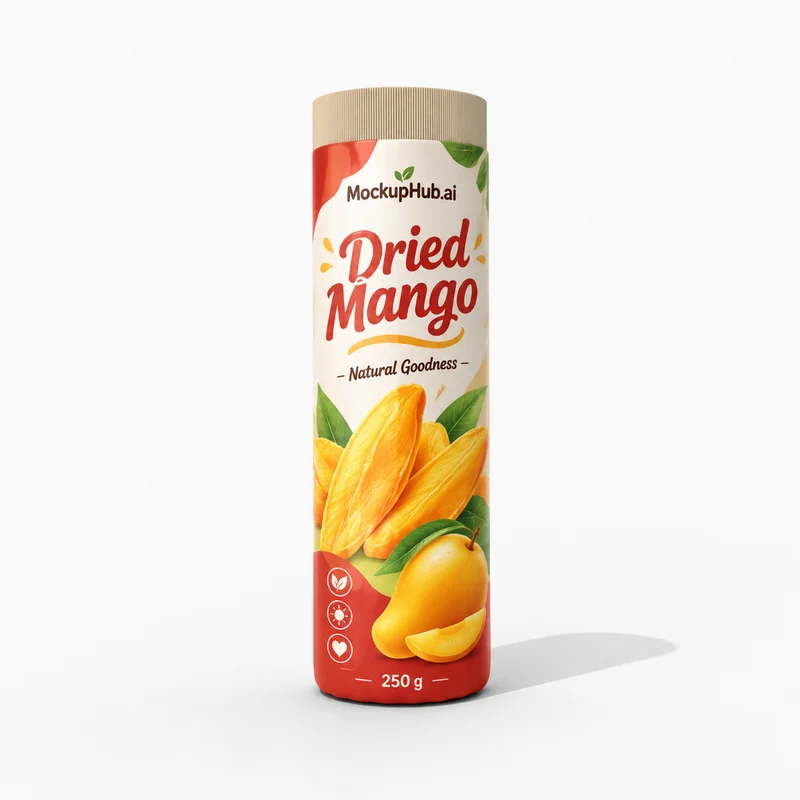
Templates you can work with
Food Wrapper
Review food branding on the dried-noodle wrapper with the product shape visible. Check artwork across folds and compare the glossy plastic and coated appearances around the front message.
View templateToilet-Roll Wrapper
Follow a repeating graphic around the cylindrical toilet-roll wrapper. Inspect the back join and compare the roll, core, top and bottom colors separately from the uploaded pattern.
View templateHow to choose a wrapping paper mockup
Match the wrapped product
Choose a wrapping paper mockup around the product it shows. Food and toilet-roll wrappers bend a repeat around different shapes, so inspect the visible top, bottom and side edges before sizing the motif. Keep the complete object visible during this check.
Compare those proportions with your supplier’s wrapper layout. Use a different construction for a loose gift-paper sheet, rather than treating a fitted wrapper as the same product.
Check the repeat and join
Upload a directional motif to find reversals before adding the finished pattern. Compare the top, bottom and back join, checking that a stripe or illustration continues in the intended direction. Preserve the repeat’s original proportions.
Keep important names clear of overlap and closure areas in the supplier’s drawing. Check the selected template’s artwork controls before changing surrounding colors; an opaque background remains part of the uploaded design.
Compare the wrapper surface
Keep a complete wrapper view beside a close pattern view. The overview explains the motif’s scale around the product; the closer image reveals thin lines and uneven spacing near the join. Use matching angles when comparing colorways.
Check the available paper or film appearance with the design fixed. Confirm the actual stock and print process with the supplier, using a physical sample when surface texture or color affects the decision.
Export formats and image dimensions
Use 2K (2048-pixel long edge) for wrapper proposals, 4K (4096) for larger presentations and 8K (8192) for detailed crops. The other dimension follows your aspect ratio. Start with a sharp upload.
Choose PNG for transparency or crisp edges; JPG for smaller opaque images. Check small text again after resizing or cropping. Check web pixel requirements or the printer’s PPI for printed presentations. Your wrapping paper mockup is a presentation image. Supply original artwork with package dimensions and bleed separately.
Common uses for this collection
Check a food wrapper’s front graphic against its folds.
Review the repeat scale around a cylindrical paper roll.
Inspect a directional pattern at the back join.
Compare brand colors across several wrapper concepts.
Prepare a consistent view for a packaging client’s review.
Frequently asked questions
Which wrapping paper mockup fits my project?
Match the wrapped object and closure to the package you are presenting. Food and toilet-roll wrappers let you inspect different folds, curved surfaces and pattern joins around a complete product.
What can I edit in a wrapping paper mockup?
Upload your design to the template’s artwork area. Check its available part-color controls and material presets before editing; a product-color change is separate from the graphic saved in your image.
How do I check top and bottom orientation in a product wrapper mockup?
Upload a test pattern with a clear upward arrow and a marked front. Inspect the top, bottom and back join before replacing the markers with the finished artwork.
How do I choose a readable view for a wrapper mockup?
Show the whole wrapped product first so the motif scale is clear. Add an angled or close view for the join without changing the artwork proportions between images.
How do I compare colorways in a packaging pattern mockup?
Keep the repeat size, front alignment and camera direction fixed. Change the colors in the source design and check pale details beside folds and reflections at the final listing size.
Why does my repeat look uneven around the product?
Check the motif’s original proportions, its repeat spacing and the model’s join. Use a directional test mark to find an unexpected reversal before adjusting the final design, rather than stretching the pattern to hide the seam.
Preview wrapping paper mockups with your own artwork and compare the result from a readable angle. Choose a matching template to start your design.