
Templates you can work with
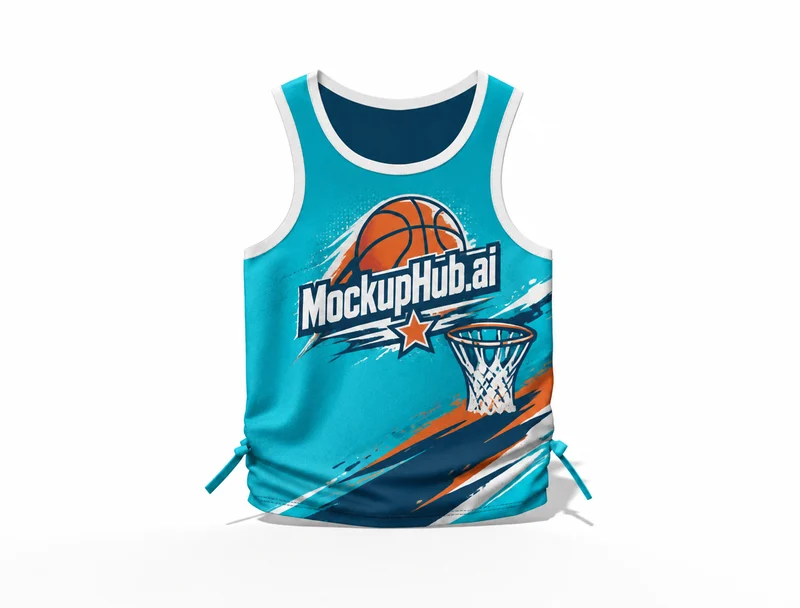
Baby Tank Top
Place a small illustration on the sleeveless baby garment, leaving room for the neckline and bow. Compare body, collar and cuff colors while checking clearance beside the arm openings.
View templateHow to choose a tank top mockup
Fit the small front panel
Choose a tank top mockup with the baby-garment proportions your project needs. Leave space beneath the neckline and beside the arm openings before deciding the graphic width. Keep important words clear of any bow or trim.
Rotate to check the small front panel and side clearance without stretching the artwork. Confirm the real garment size and printable area with the supplier; this silhouette does not represent an adult vest.
Check the body and trim
Place a simple motif beneath the collar before adding the final illustration. Inspect its transparent margins and check thin outlines against the fabric at store-card size. Keep the surrounding body visible where the design needs clear space.
Compare bow, collar or stitching colors only where the selected template offers those controls. Changing the trim does not recolor the graphic saved inside your image, so prepare the upload accordingly.
Keep the baby silhouette visible
Keep the small torso and sleeveless outline visible when sharing the design. Clients need those proportions to judge whether the illustration is too wide or too close to the neckline. Add a close view only for small graphic details.
Give the decorator the intended print width and clearance around the arm openings. Check a decorated sample on the actual baby garment before approving pale colors or fine lines for production.
Export formats and image dimensions
Use 2K (2048-pixel long edge) for baby-clothing listings, 4K (4096) for larger presentations and 8K (8192) for detailed crops. The other dimension follows your aspect ratio. Start with a sharp upload.
Choose PNG for transparency or crisp edges; JPG for smaller opaque images. Check small text again after resizing or cropping. Check web pixel requirements or the printer’s PPI for printed presentations. Your tank top mockup is a presentation image. Supply original print artwork and garment placement measurements separately.
Common uses for this collection
Compare two front illustrations for a baby clothing collection.
Review a pale motif against contrasting collar trim.
Check that a bow does not obscure the top of a design.
Prepare a sleeveless baby-garment listing image.
Show a decorator the intended clearance near an arm opening.
Frequently asked questions
Which tank top mockup fits my project?
Match the neckline, arm openings and body proportions to your intended garment. The baby sleeveless style is a useful example for checking small front illustrations and the space around decorative trim.
What can I edit in a tank top mockup?
Upload your design to the template’s artwork area. Check its available body and stitching color controls and material presets before editing; a product-color change is separate from the graphic saved in your image.
How wide should a graphic appear in a sleeveless shirt mockup?
Judge it against the clear front panel below the neckline, with the arm openings visible. Preserve the illustration proportions and leave room beside the shoulder and side trim.
Why is there a white box in my baby tank top mockup?
Check whether the uploaded illustration includes an opaque background. Prepare transparent space around the motif when the garment should remain visible, then inspect its edges against the chosen body color.
How do I compare trim colors in a 3D tank top mockup?
Keep the illustration fixed and change the available collar, cuff or stitching colors one at a time. Inspect the complete garment so the trim remains in proportion to the small front design.
How can I stop a bow or trim hiding the design?
Keep important wording beneath the neckline and clear of the visible bow. Check the complete front and an angled view, then compare the intended print width with the supplier’s baby-garment artwork guide.
Preview tank top mockups with your own artwork and compare the result from a readable angle. Choose a matching template to start your design.