

Templates you can work with
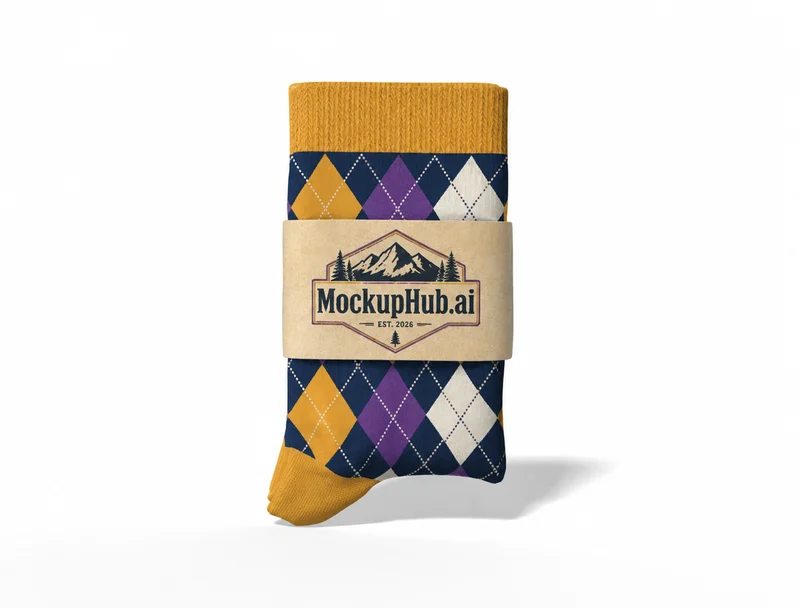
Argyle Socks
Review diamond scale around the sock’s leg and foot. Compare contrasting cuff, heel and toe colors against the repeat.
View templateSocks
Use the vertical sock presentation for a narrow graphic. Check whether the hanging label or hook interrupts the top of the design.
View templateHow to choose a sportswear mockup
Check the leg and foot pattern
Choose a sportswear mockup with the right sock construction. Follow the motif from the cuff around the ankle and foot, keeping stripes and diamonds in their original proportions. The leg and foot give a repeat different visible space.
Rotate to inspect the heel transition before approving the pattern. Compare it with the supplier’s knitting or printing layout, since a rendered sock cannot establish the repeat for every manufactured size.
Compare the cuff, heel and toe
Check the pattern against the ribbed appearance before adjusting surrounding colors. Fine horizontal lines can compete with the texture, while a small logo may lose contrast at listing size. Inspect a close view and then reduce the image.
Compare available heel, toe and cuff colors individually with the design held steady. Keep any label or hanging hook visible when checking artwork near the top of the sock.
Match the real decoration method
Show the leg and foot sides with the same pattern scale. A front-only image can hide a break near the heel, so keep both views in a repeat review. Leave the complete sock outline visible in at least one image.
Ask the manufacturer about yarn-color and detail limits for knitting, or printable regions for decoration. Use a physical sample to check stretch, repeat alignment and the final small lettering.
Export formats and image dimensions
Use 2K (2048-pixel long edge) for sock listings, 4K (4096) for larger presentations and 8K (8192) for detailed crops. The other dimension follows your aspect ratio. Start with a sharp upload.
Choose PNG for transparency or crisp edges; JPG for smaller opaque images. Check small text again after resizing or cropping. Check web pixel requirements or the printer’s PPI for printed presentations. Your sportswear mockup is a presentation image. Supply original print artwork and garment placement measurements separately.
Common uses for this collection
Review an argyle repeat around the ankle and foot.
Compare contrasting heel and toe colors for team socks.
Check a small club identity beneath the cuff.
Prepare a sock-range presentation for a sports retailer.
Discuss the transition between the leg pattern and heel.
Frequently asked questions
Which sportswear mockup fits my project?
Start with the actual garment construction and where the design needs to remain visible. For socks, inspect the cuff, heel and toe together with the leg pattern before choosing the motif scale.
What can I edit in a sportswear mockup?
Upload your design to the template’s artwork area. Check its available heel, cuff and toe color controls and material presets before editing; a product-color change is separate from the graphic saved in your image.
How do I compare pattern density in a sock pattern mockup?
Keep the same sock view while testing a simpler repeat against a denser source design. Check small motifs at the final listing size before choosing the version that remains readable.
Can I compare heel and toe colors in a sock mockup?
Use those part-color controls where the selected sock offers them, keeping the uploaded pattern fixed. Check whether the contrast helps the repeat remain clear around the foot.
Where should a club logo sit in a team sock mockup?
Begin on the readable leg area below the cuff and keep the heel transition visible. Check the mark at listing size before adding sponsor wording or a denser repeat.
How do I check a stripe around the heel?
Follow the stripe from the leg onto the foot through several angles. Compare that arrangement with the manufacturer’s knitting or printing layout, since the preview does not reproduce every change caused by a foot stretching the fabric.
Preview sportswear mockups with your own artwork and compare the result from a readable angle. Choose a matching template to start your design.