

Templates you can work with
Boxy Hoodie Apparel Artwork and Branding Design
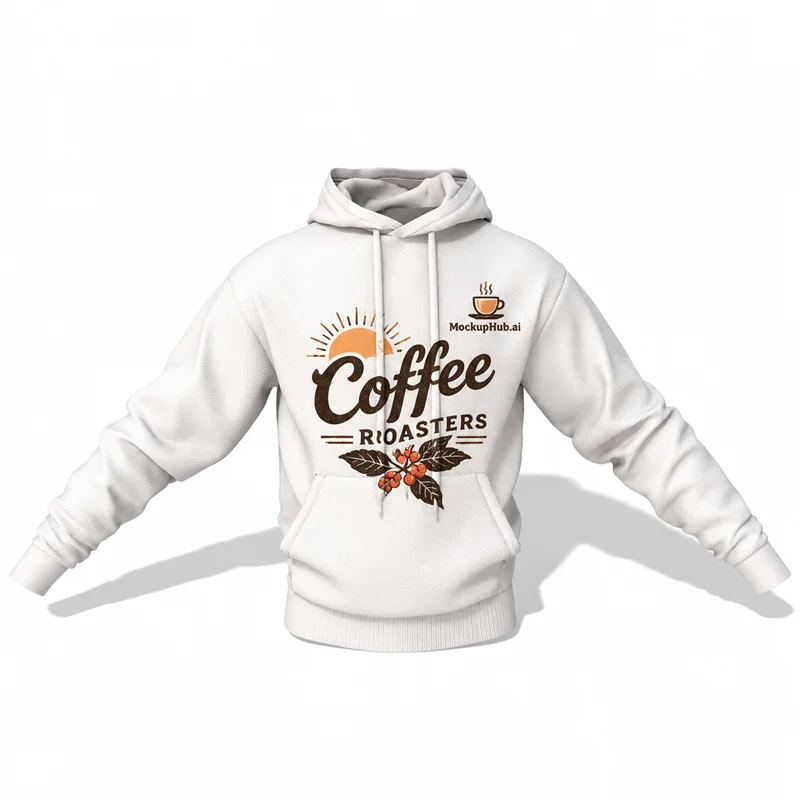
Review graphics on the boxy hoodie silhouette. Compare the hood lining, cuffs and hem colors around the main artwork.
View templateOversized Hoodie
Check logo scale on the oversized garment. Inspect how its drawstring and metal cord ends frame a front design.
View templateHow to choose a hoodie mockup
Leave space for the hood and cords
Choose a hoodie mockup by shoulder width, body length and hood shape. Boxy and oversized cuts frame a chest graphic differently. Keep important words below the neckline and clear of hanging cords or a front pocket.
Rotate to inspect the front, side and lower hem before enlarging the design. Preserve the logo’s proportions and compare the intended print width with the actual garment supplier’s placement measurements.
Check fabric and trim colors
Hold the main garment color steady while checking the graphic across visible folds. Fine lettering needs enough contrast against the fabric. Use transparent artwork when the body should show around the design rather than behind a background rectangle.
Compare cords, lining or cuffs only through the controls the selected template offers. Change one part at a time so the effect remains clear, then inspect the final listing view.
Show the cut around the graphic
Leave the hood, shoulders and lower hem visible so the boxy or oversized cut is easy to recognize. Compare a collection from matching angles, with a closer chest image when a small graphic detail needs discussion.
Check the decorator’s restrictions around pockets and reinforced seams before approving placement. Use a decorated sample to confirm print texture and garment feel; the preview helps agree the graphic and color direction.
Export formats and image dimensions
Use 2K (2048-pixel long edge) for hoodie listings, 4K (4096) for larger presentations and 8K (8192) for detailed crops. The other dimension follows your aspect ratio. Start with a sharp upload.
Choose PNG for transparency or crisp edges; JPG for smaller opaque images. Check small text again after resizing or cropping. Check web pixel requirements or the printer’s PPI for printed presentations. Your hoodie mockup is a presentation image. Supply original print artwork and garment placement measurements separately.
Common uses for this collection
Compare a compact logo on a boxy hoodie.
Present an oversized chest illustration for a streetwear label.
Review contrasting cords against the main garment color.
Prepare matching store angles for seasonal hoodie artwork.
Brief a decorator on the intended space below the neckline.
Frequently asked questions
Which hoodie mockup fits my project?
Compare the boxy and oversized shapes before placing your design. Keep the shoulders and hem visible, then check whether the hood, drawstrings or a front pocket interfere with the main name or illustration.
What can I edit in a hoodie mockup?
Upload your design to the template’s artwork area. Check its available body color controls and material presets before editing; a product-color change is separate from the graphic saved in your image.
How do I check drawstrings in a 3D hoodie mockup?
Inspect the full front before choosing a close crop of the chest. Keep important words clear of visible cords and rotate slightly to check whether the hood overlaps the top of the graphic.
How do I compare boxy and oversized cuts in a streetwear mockup?
Keep the shoulders and lower hem visible and use the same camera direction. Preserve the logo proportions while judging its width against each garment’s actual outline.
Why is a small logo hard to read in a sweatshirt mockup?
Inspect the mark beside folds and against the selected body color at listing size. Use a closer detail view for fine lines while keeping a full garment view for scale.
Why does a chest logo have a white box around it?
The uploaded image may contain an opaque background. Prepare a transparent image when you want the hoodie fabric to show outside the graphic; changing the garment color will not remove white pixels saved in the artwork.
Preview hoodie mockups with your own artwork and compare the result from a readable angle. Choose a matching template to start your design.