

Templates you can work with
Blank Canvas Tote Bag
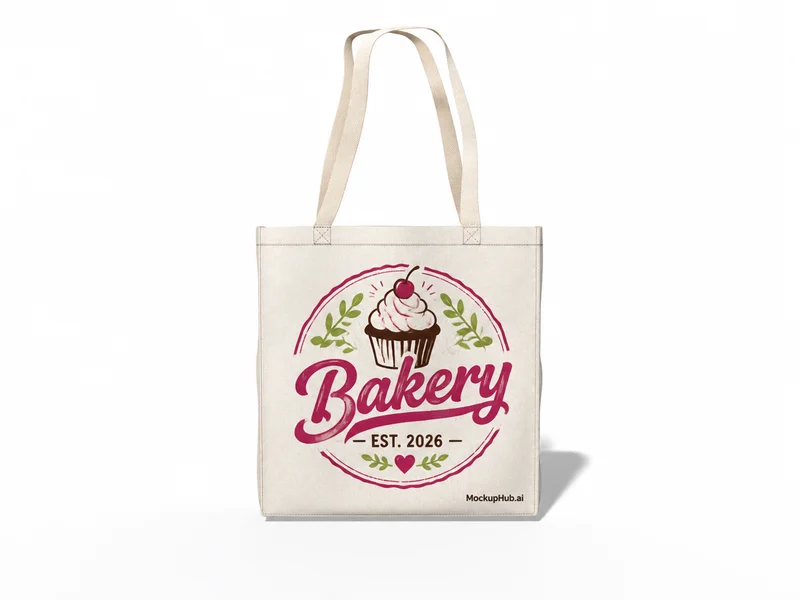
Start with a blank canvas tote for a standalone illustration. Check its scale against the handles and visible stitching.
View templateA Canvas Tote Bag
Review a graphic on the tote’s visible fabric face. Compare its position and color balance with the surrounding canvas.
View templateHow to choose a bag mockup
Check the tote body and handles
Choose a bag mockup by the tote’s body width and handle attachments. Find the clear panel above the lower seam, then compare it with the maker’s print area. Keep the logo’s original proportions while setting its size.
Rotate to see whether the design approaches a side seam or handle join. Use this fabric construction for a matching tote; handled paper retail packaging belongs in the separate packaging collection.
Keep the graphic clear on canvas
Check fine lettering against the canvas in a close view and at the final store-card size. The weave can compete with thin strokes, while a dark graphic may need more contrast against the selected body color.
Use transparent artwork when the fabric should remain visible around the mark. Compare available body or handle colors separately, checking that an opaque rectangle in the upload has not become an unintended panel.
Show the reusable bag accurately
Keep the handles, opening and lower seam visible in the overview. Those edges let clients judge the graphic on a recognizable tote instead of an isolated fabric rectangle. Use matching angles when comparing several colorways or logo sizes.
Supply the printer with the original artwork and its intended dimensions. Confirm clearance from seams and attachments, then check a physical sample for canvas texture, color and the actual decorated finish.
Export formats and image dimensions
Use 2K (2048-pixel long edge) for tote listings, 4K (4096) for larger presentations and 8K (8192) for detailed crops. The other dimension follows your aspect ratio. Start with a sharp upload.
Choose PNG for transparency or crisp edges; JPG for smaller opaque images. Check small text again after resizing or cropping. Check web pixel requirements or the printer’s PPI for printed presentations. Your bag mockup is a presentation image. Supply original decoration artwork and product-specific print dimensions separately.
Common uses for this collection
Compare a bookstore logo with a large illustrated tote front.
Review handle color against a museum-shop identity.
Check small lettering clear of a tote’s lower seam.
Prepare reusable merchandise images for a café.
Present a fabric-bag design before a printed sample order.
Frequently asked questions
Which bag mockup fits my project?
Use this collection for reusable canvas totes. Check body width, handle attachments and the lower seam before sizing the print; handled paper shopping packaging belongs in the separate packaging-bag category.
What can I edit in a bag mockup?
Upload your design to the template’s artwork area. Check its available stitching, handle and body color controls and material presets before editing; a product-color change is separate from the graphic saved in your image.
How do I judge logo width in a tote bag mockup?
Keep both handle attachments and the lower seam visible. Size the mark within the clear fabric panel and preserve its original proportions while comparing placements.
Why does fine lettering disappear in a canvas bag mockup?
Check the lettering against the weave and chosen body color at the final store-image size. Compare a bolder or higher-contrast source design before changing the product view.
How do I compare handle colors in a fabric bag mockup?
Keep the uploaded graphic and body color fixed while changing the handle control where available. Use a complete tote view so the relationship between the handles and printed panel stays clear.
Why does a small design look too low on the tote?
Check the transparent margins in the uploaded image as well as the graphic’s position. Use a simple center mark to test the artwork area, then leave clear space around handle stitching and the lower seam.
Preview bag mockups with your own artwork and compare the result from a readable angle. Choose a matching template to start your design.