

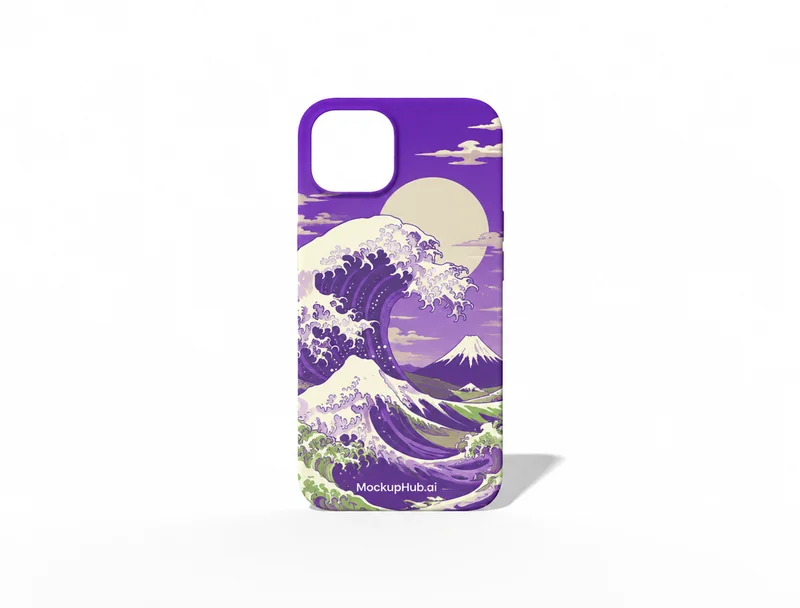
Templates you can work with
iPhone 15 Case
Present artwork on the iPhone 15 case. Check the design beside the camera opening and compare glossy or matte plastic.
View templateiPhone 16 Case
Use the iPhone 16 case for that device presentation. Inspect edge clearance before adjusting the available body and button colors.
View templateHow to choose a phone case mockup
Match the exact phone model
Choose a phone case mockup for the exact device model. Compare the camera opening, button positions and overall proportions before arranging the design. A case for another phone can interrupt a portrait or wordmark in a different place.
Keep important details clear of the camera cutout and outer edges. Rotate to inspect the sides, then check the proposed artwork against the case maker’s model-specific print guide.
Compare matte and glossy plastic
Keep the design fixed while comparing the available matte and glossy plastic appearances. A bright highlight may cross a pale illustration or small name, so inspect both a full back view and an angle before choosing the finish.
Check buttons separately where the template exposes that control. Use transparent artwork where the case should show around the design, avoiding an unintended background rectangle in the uploaded image.
Check the back and side coverage
Show a full back view before a close crop so clients can judge the portrait or pattern beside the actual camera opening. Use consistent framing when comparing finishes, then inspect the graphic at the final listing size.
Give the maker the original artwork for the exact case model. Confirm edge wrapping and cutout clearance with its print guide, and review a sample for the physical finish and color.
Export formats and image dimensions
Use 2K (2048-pixel long edge) for case listings, 4K (4096) for larger presentations and 8K (8192) for detailed crops. The other dimension follows your aspect ratio. Start with a sharp upload.
Choose PNG for transparency or crisp edges; JPG for smaller opaque images. Check small text again after resizing or cropping. Check web pixel requirements or the printer’s PPI for printed presentations. Your phone case mockup is a presentation image. Supply original decoration artwork and product-specific print dimensions separately.
Common uses for this collection
Review a portrait illustration beside an iPhone camera opening.
Compare matte and glossy appearances with one fixed view.
Check a repeating pattern around the rear panel’s corners.
Prepare separate listings for two phone-cover models.
Show a printer which artwork must stay on the flat back.
Frequently asked questions
Which phone case mockup fits my project?
Choose the model-specific iPhone 15 or iPhone 16 cover that matches the product. Check the camera opening, buttons and corners before placing a portrait or repeat; a similar outer shape does not make the openings interchangeable.
What can I edit in a phone case mockup?
Upload your design to the template’s artwork area. Check its available body color controls and material presets before editing; a product-color change is separate from the graphic saved in your image.
How do I place a portrait in a custom phone case mockup?
Match the exact phone model and keep the face clear of its camera opening. Inspect a full rear view before adjusting the crop near corners and outer edges.
How do I compare finishes in a 3D phone case mockup?
Hold the design and view fixed while trying the available matte and glossy plastic appearances. Check whether a reflection hides pale lines or a small name near the camera opening.
Can I compare button colors in a phone cover mockup?
Use the selected case’s button controls where available and keep the back artwork fixed. Turn slightly to show the side detail while retaining a readable rear view for the main illustration.
Can I use the side view to promise edge printing?
Only show coverage supported by the selected artwork region and the real supplier’s print boundary. Keep a full rear view for the main illustration and use rotation to inspect where it approaches the corners and sides.
Preview phone case mockups with your own artwork and compare the result from a readable angle. Choose a matching template to start your design.