

Templates you can work with
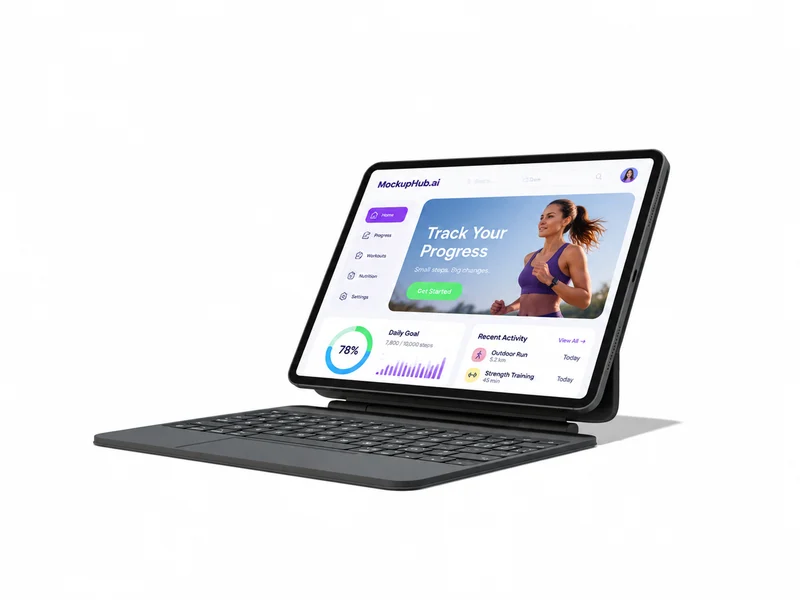
13-Inch iPad Pro with Keyboard
Review a tablet interface on the 13-inch iPad Pro with keyboard. Keep the wider screen composition visible in the device frame.
View templateiPhone X Interface Artwork
Place a portrait interface in the iPhone X frame. Check text near the screen edges and top cutout before exporting.
View templateHow to choose a phone mockup
Match the phone or tablet screen
Choose a phone mockup by the actual screen ratio and cutout. Check the top, bottom and rounded corners before placing the main heading. Prepare a separate screenshot for a tablet layout rather than stretching the phone interface wider.
Keep important controls clear of the screen boundary and inspect a front view for clipping. Rotate afterward to find an angle that keeps the relevant interface state readable.
Check cutouts and screenshot edges
Check the screenshot’s padding and background before upload. An unintended margin can shrink the interface inside the screen, while a close crop can hide content near rounded corners. Inspect small labels at the final presentation size.
Device templates use screen artwork without separate hardware material or case-color controls. Prepare the interface colors and text in the source image, then judge the placement with the screen held near the front.
Prepare the final presentation crop
Keep one front-facing image for reading the interface, using an angled view to show the phone or tablet context. Leave enough frame visible to identify the device without making the main task too small. Compare matching interface states across views.
Check the image at its intended product-card or slide size. Test the actual app for touch behavior, accessibility and responsive layouts, keeping the original interface available for development.
Export formats and image dimensions
Use 2K (2048-pixel long edge) for mobile-app presentations, 4K (4096) for larger presentations and 8K (8192) for detailed crops. The other dimension follows your aspect ratio. Start with a sharp upload.
Choose PNG for transparency or crisp edges; JPG for smaller opaque images. Check small text again after resizing or cropping. Check web pixel requirements or the printer’s PPI for printed presentations. Your phone mockup is a presentation image. Keep original interface files for development and interaction tests.
Common uses for this collection
Present a mobile onboarding screen inside the iPhone X frame.
Show a separate tablet dashboard with the iPad keyboard visible.
Check a heading’s clearance near a phone notch.
Prepare a transparent mobile-device image for a pitch slide.
Compare two interface states using the same front-facing angle.
Frequently asked questions
Which phone mockup fits my project?
Choose the iPhone X or keyboard-equipped iPad Pro to match the interface being presented. Prepare separate phone and tablet captures, checking the screen ratio, rounded corners and camera area before placing important headings near an edge.
What can I edit in a phone mockup?
Upload your interface image to the screen artwork area. These device templates do not offer hardware material or separate case-color controls; prepare the screen background, text and icons in your source image.
How do I keep a heading clear of the notch in a smartphone mockup?
Prepare the screenshot for the selected phone’s display and inspect the top edge in a front view. Check rounded corners and lower controls before choosing a closer crop.
Should I reuse my phone screenshot in a tablet mockup?
Prepare a separate tablet layout that uses the wider screen deliberately. Keep its navigation and main task readable instead of stretching the phone capture across the display.
How do I compare screens in a mobile app mockup?
Use the same device, front angle and surrounding space for each state. Check the main heading and action at the final presentation size before adding decorative angled views.
Can I use the export as an app-store screenshot?
Check the destination’s current screenshot sizes and artwork rules before publishing. A framed presentation image may suit a portfolio or pitch, while the store may require a different crop or an unframed interface capture.
Preview phone mockups with your own artwork and compare the result from a readable angle. Choose a matching template to start your design.