


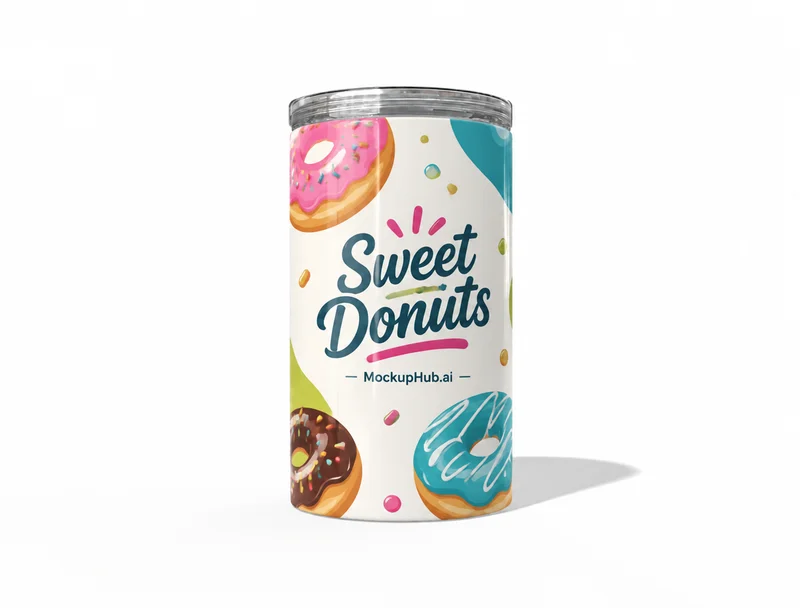
Templates you can work with
Disposable Paper Cup
Compare a wrap design on white-board and kraft appearances. Inspect the disposable cup’s curved body for disappearing side text.
View templateTakeaway Coffee Cup
Place takeaway branding on the coffee cup. Check the wrap’s proportions and compare how kraft changes the background behind unprinted areas.
View templateWhite Travel Tumbler
Review a travel tumbler with its lid visible. Compare the body artwork against available lid colors and transparent-plastic appearance presets.
View templateHow to choose a cup mockup
Match the taper and lid
Choose a cup mockup with the taper, rim and lid of your actual container. A takeaway paper cup and a travel tumbler frame the same logo differently. Compare the available decoration area with the supplier’s product drawing.
Keep the design clear of the rim and lower curve, preserving its proportions. Rotate toward the side to inspect how much of the name remains readable around the tapered wall.
Compare paper and plastic surfaces
Check the same logo against kraft and white board where those presets are available. Pale lettering can lose contrast on brown stock, while a transparent margin lets the cup surface remain visible around the printed mark.
Keep the artwork fixed when trying available lid or body colors. Inspect reflections and curved edges close up, then reduce the image to the size used in your store or menu.
Keep the cup construction visible
Show the whole container beside a closer artwork view. Keep the lid and base visible so a takeaway cup and travel tumbler remain easy to distinguish. Compare drink-range graphics from matching angles to make the color differences clear.
Give the maker the original decoration artwork and the actual cup dimensions. Confirm restrictions near the rim, seam or taper, then inspect a sample for the real finish and printed color.
Export formats and image dimensions
Use 2K (2048-pixel long edge) for drink-container listings, 4K (4096) for larger presentations and 8K (8192) for detailed crops. The other dimension follows your aspect ratio. Start with a sharp upload.
Choose PNG for transparency or crisp edges; JPG for smaller opaque images. Check small text again after resizing or cropping. Check web pixel requirements or the printer’s PPI for printed presentations. Your cup mockup is a presentation image. Supply original decoration artwork and usable surface dimensions separately.
Common uses for this collection
Compare a café logo on white and kraft paper.
Review a wraparound illustration on a takeaway cup.
Check a travel tumbler’s lid against the body artwork.
Prepare matching beverage-brand images for a store.
Show a printer the intended front center of a cup wrap.
Frequently asked questions
Which cup mockup fits my project?
Match the taper, rim and lid to the actual container before arranging the design. Paper takeaway shapes and travel tumblers frame the same logo differently, so keep the complete cup visible while comparing them.
What can I edit in a cup mockup?
Upload your design to the template’s artwork area. Check its available body and lid color controls and material presets before editing; a product-color change is separate from the graphic saved in your image.
How do I position a café logo in a coffee cup mockup?
Keep the main name on the readable front and clear of the rim. Rotate toward the side to check the wrap without widening the original logo.
How do I compare kraft and white in a paper cup mockup?
Hold the artwork and view steady while choosing the available paper appearance. Inspect transparent margins and pale lettering against the brown stock before changing the source design.
Can I compare lid colors in a tumbler mockup?
Use the lid control where the selected tumbler offers it, keeping the body graphic fixed. Leave the lid and base visible to judge the complete container rather than only a close artwork crop.
How do I check the wrap direction in a takeaway cup mockup?
Add a front-center marker and a top arrow to a test design. Rotate the cup to inspect the join and tapered sides before loading the final artwork.
Preview cup mockups with your own artwork and compare the result from a readable angle. Choose a matching template to start your design.