

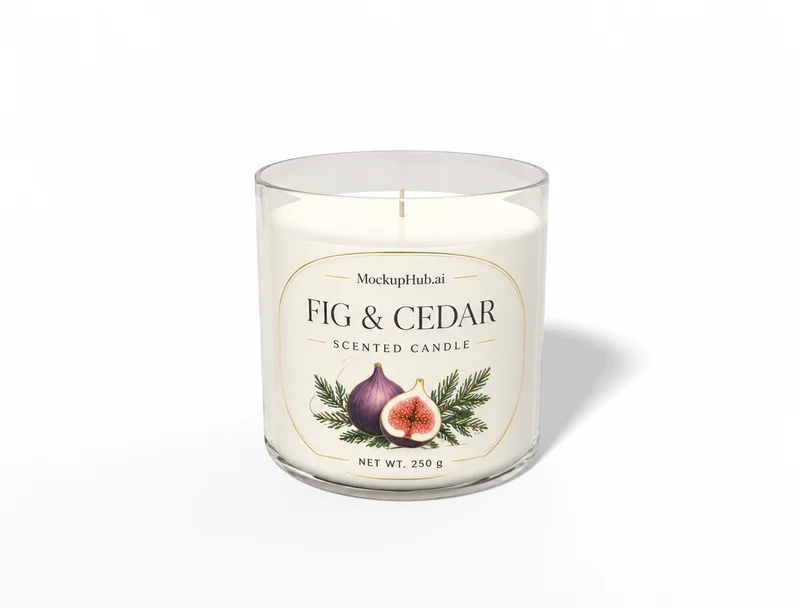
Templates you can work with
Aromatherapy Candle
Review scent branding on the aromatherapy candle. Compare glossy and matte glass appearances behind the label’s typography and color.
View templateCandle Label Packaging
Check a candle label around the glass body. Keep the fill and wick visible while comparing the container’s surface appearance.
View templateHow to choose a candle mockup
Fit the straight label wall
Choose a candle mockup by the straight label wall beneath the rim. Check the space above the lower glass curve and compare it with your supplier’s label dimensions. Keep the fragrance name on the readable front of the container.
Preserve the label’s proportions while rotating toward the side and back join. Leave the rim and base visible so the client can judge the design’s height against the whole candle.
Check the label, glass and fill
Hold the label artwork steady while comparing the glass appearance. Inspect pale edges beside reflections, then check the fragrance name at product-card size. Transparent margins should reveal the body around the graphic rather than form an unwanted background box.
Try available fill or wick colors separately from the uploaded design. Changing those parts does not recolor label text, so prepare the name and background in the source image.
Compare scent names at listing size
Use the same front alignment for every fragrance in a range. Keep each label at a comparable height and inspect the names at the final store-image size. Add a second view when the back join or a curved edge needs review.
Confirm the physical container, label stock and printable area with the supplier. Use a sample to judge real label adhesion, color and the appearance of the finished candle.
Export formats and image dimensions
Use 2K (2048-pixel long edge) for fragrance listings, 4K (4096) for larger presentations and 8K (8192) for detailed crops. The other dimension follows your aspect ratio. Start with a sharp upload.
Choose PNG for transparency or crisp edges; JPG for smaller opaque images. Check small text again after resizing or cropping. Check web pixel requirements or the printer’s PPI for printed presentations. Your candle mockup is a presentation image. Supply original decoration artwork and usable surface dimensions separately.
Common uses for this collection
Compare scent names across a coordinated candle collection.
Review a pale label against a warm-looking fill.
Check a wraparound label’s back join.
Prepare an online candle listing with consistent camera angles.
Discuss a matte or glossy vessel appearance with a brand client.
Frequently asked questions
Which candle mockup fits my project?
Match the vessel’s straight label wall and leave clearance below the rim and above the base curve. Use the actual container drawing or a paper label wrap to confirm physical size, especially on tapered glass.
What can I edit in a candle mockup?
Upload your design to the template’s artwork area. Check its available body and fill color controls and material presets before editing; a product-color change is separate from the graphic saved in your image.
How do I judge label height in a candle jar mockup?
Keep the rim and base visible while placing the fragrance name on the straight wall. Turn the vessel to check how the label approaches the lower curve and back join.
How do I find the back join in a candle label mockup?
Add a front-center mark and a clear join marker to a test label. Rotate the vessel to check the wrap direction and keep small text away from the join before loading the final design.
How do I compare scents in a home fragrance mockup?
Use matching front alignment, label height and camera direction across the range. Review the scent names together at store-card size so one design does not look smaller or less readable.
Why does a pale label disappear against the candle?
Compare the label background with the glass appearance and visible fill. Check the design from a consistent angle, then inspect the final store-image size; a label that looks sharp close up may still have too little contrast.
Preview candle mockups with your own artwork and compare the result from a readable angle. Choose a matching template to start your design.