
Fit artwork around the camera opening
Keep focal details and text clear of camera cutouts and rounded edges. Review the crop on the actual template and avoid assuming one phone model's case dimensions fit another.
Check how artwork fits the back and edges of a phone case before you prepare a listing image. Choose a model that matches the intended product and inspect how the design sits around the camera opening.
Category introduction
Use Phone Case mockups to compare artwork on the product form before sharing a design. Select a template whose view and editable area suit your intended presentation; controls and export options vary by item.
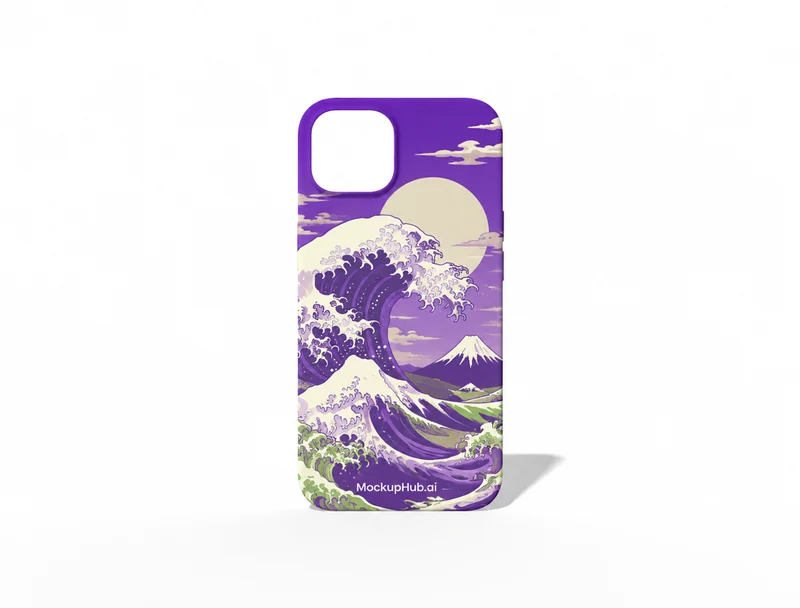
Template features
Explore the available template views and practical checks for this product category.
Keep focal details and text clear of camera cutouts and rounded edges. Review the crop on the actual template and avoid assuming one phone model's case dimensions fit another.
Use the template to present the design direction, then verify device compatibility, dimensions and material with the product supplier before publishing specifications.
Common questions
Helpful details about choosing a template, reviewing a design and using exported mockup images.
No. Camera openings and case dimensions differ by model. Select the matching template and verify the product variant with your supplier.
You can use exported presentation images subject to the applicable template and account terms. Make sure the listed case model matches the image.
Match the template to the product shape and the view you need to present. Check its card and editor for available views, editable areas and export options before starting.
Start with a clear image that fits the template's visible artwork area. Keep important details inside the crop, then review scale and legibility in the editor preview.
No. A mockup helps review appearance. Confirm dimensions, materials, print areas, compatibility and production requirements with the relevant supplier or product specifications.