Check panel flow and viewing angles
Inspect the doors, hood, sides and bumpers to see where artwork crosses body lines. Rotate a 3D template when available, and check that essential marks remain visible from the angles used in the presentation.
Evaluate vehicle graphics on the shape they need to cover. Car mockups help you review how a wrap, livery or fleet identity reads across visible body panels; the current collection includes Tesla models where available.
 3D mockup, view in 360°
Tesla
Tesla Model 3 Vehicle Wrap Mockup for Custom Graphics
 3D mockup, view in 360°
Tesla
Tesla Model Y 2025 Standard Wrap Mockup for Livery Art
 3D mockup, view in 360°
Tesla
Tesla Model Y 2025 Premium Wrap Mockup for Livery Art
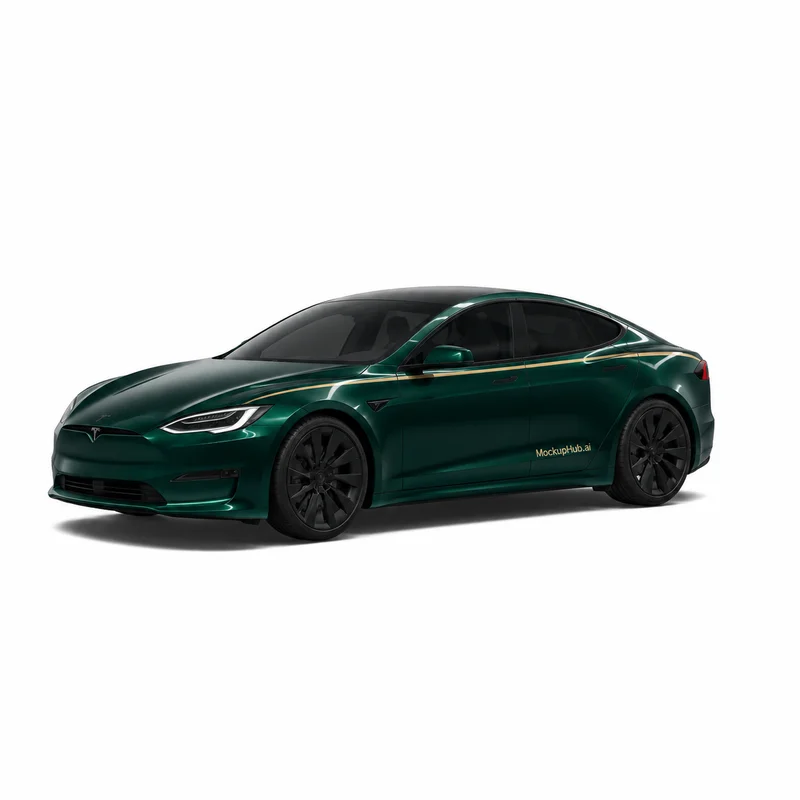 3D mockup, view in 360°
Tesla
Tesla Model S 2021 Wrap Mockup for Exterior Graphics
 3D mockup, view in 360°
Tesla
Tesla Model Y L Vehicle Wrap Mockup for Custom Graphics
 3D mockup, view in 360°
Tesla
Tesla Model Y Vehicle Wrap Mockup for Custom Graphics
 3D mockup, view in 360°
Tesla
Tesla Model Y 2025 Performance Wrap Mockup for Livery Art
 3D mockup, view in 360°
Tesla
Tesla Model S 2025 Plaid Wrap Mockup for Livery Graphics
 3D mockup, view in 360°
Tesla
Tesla Model X 2021 Wrap Mockup for Vehicle Livery Art
 3D mockup, view in 360°
Tesla
Tesla Model 3 2024 Performance Wrap Mockup for Livery Art
 3D mockup, view in 360°
Tesla
Tesla Model 3 2024 Standard Wrap Mockup for Livery Design
 3D mockup, view in 360°
Tesla
Tesla Cybertruck 3D Wrap Mockup for Bold Vehicle Graphics
Category introduction
Use Car mockups to compare artwork on the product form before sharing a design. Select a template whose view and editable area suit your intended presentation; controls and export options vary by item.
Template features
Explore the available template views and practical checks for this product category.
Inspect the doors, hood, sides and bumpers to see where artwork crosses body lines. Rotate a 3D template when available, and check that essential marks remain visible from the angles used in the presentation.
A 3D preview helps communicate a direction but does not confirm a vehicle's exact dimensions, panel seams or installation tolerances. Verify the final wrap against the specific vehicle and production template.
Common questions
Helpful details about choosing a template, reviewing a design and using exported mockup images.
You can place artwork on available car templates and review the visible result. Coverage and controls depend on the selected model and template.
No. Use the mockup for visual presentation and confirm panel dimensions, cut lines and installation details with the vehicle-specific production files.
Match the template to the product shape and the view you need to present. Check its card and editor for available views, editable areas and export options before starting.
Start with a clear image that fits the template's visible artwork area. Keep important details inside the crop, then review scale and legibility in the editor preview.
No. A mockup helps review appearance. Confirm dimensions, materials, print areas, compatibility and production requirements with the relevant supplier or product specifications.