


Templates you can work with
Tesla Cybertruck 3D Wrap
Review the Cybertruck’s angular body before choosing a stripe path. Inspect how a recognizable line changes direction beside doors, hood and rear panels.
View templateTesla Model 3 2024 Performance Wrap
Choose the named 2024 Performance exterior for the matching Model 3 project. Keep the bumper and wheel openings visible while judging a side identity.
View templateTesla Model Y 2025 Premium Wrap
Use the named Model Y 2025 Premium body to review door and wheel-arch placement. Adapt the graphic to this shape rather than stretching a sedan composition.
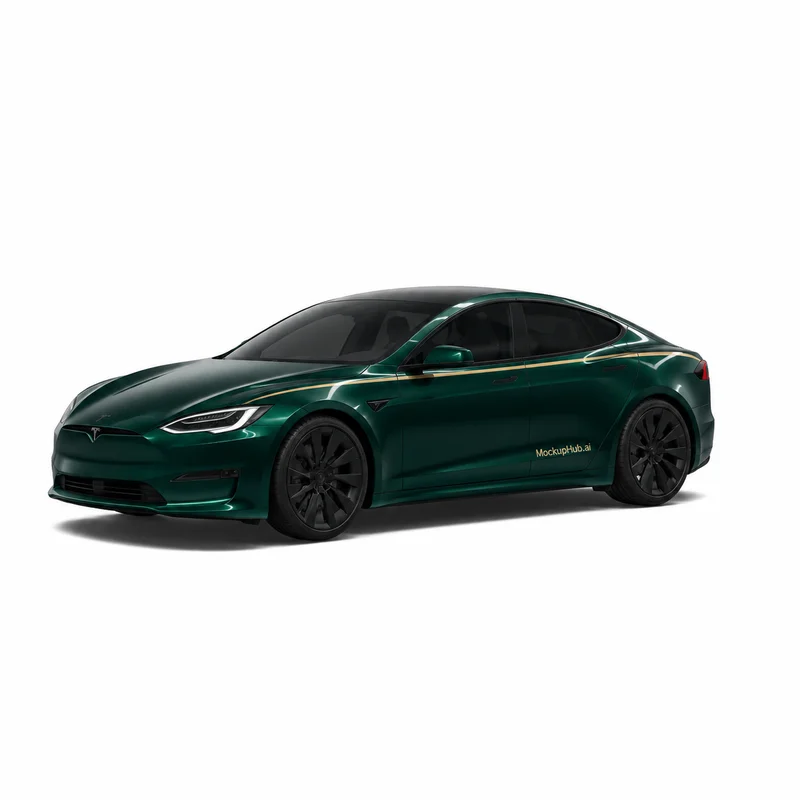
View templateTesla Model S 2025 Plaid Wrap
Review a Model S 2025 Plaid layout against its named exterior. Keep the full side visible when comparing a wordmark with the door and bumper boundaries.
View templateHow to choose a Tesla wrap mockup
Match the model, generation and variant
Choose a Tesla wrap mockup by its full model label, including the generation and variant where named. A Model 3 2024 Standard and Performance entry should be selected for the intended exterior, rather than treated as interchangeable sedan views.
Compare the visible bumper, wheel openings and door boundaries with the actual vehicle. Keep key lettering clear of those breaks before adapting an existing brand layout to that body.
Adapt the graphic to the Tesla body
Compare the Model 3 sedan, Model Y body and Cybertruck’s angular panels before choosing a stripe path. Keep the graphic in proportion and judge its height against the actual doors and wheel arches instead of stretching a sedan design to fill a taller shape.
Inspect the selected model’s artwork regions and available part controls. Use a simple directional test design to locate panel transitions before committing to fine lettering or a continuous repeat.
Inspect the model-specific transitions
Follow a recognizable line from the side into hood and rear views, checking its relationship to handles, lights and charging access. Keep the same pattern scale in each image so a panel break cannot be hidden by a different crop.
Record the model and named generation beside the approved views. Give the installer the original artwork and actual vehicle details to verify cuts, joins and margins on that specific body.
Export formats and image dimensions
Use 2K (2048-pixel long edge) for Tesla proposals, 4K (4096) for larger presentations and 8K (8192) for detailed crops. The other dimension follows your aspect ratio. Start with a sharp upload.
Choose PNG for transparency or crisp edges; JPG for smaller opaque images. Check small text again after resizing or cropping. Check web pixel requirements or the printer’s PPI for printed presentations. Your tesla wrap mockup is a presentation image. Supply the installer separate measured artwork with panel and opening clearances.
Common uses for this collection
Compare a door identity on the named Model 3 generation before adjusting its stripe.
Review a Model Y graphic around the rear wheel opening and door break.
Check how a Cybertruck pattern changes direction across angular exterior panels.
Inspect a Model S or Model X layout against that vehicle’s side proportions.
Record the selected Tesla model and variant beside approved front, side and rear views.
Frequently asked questions
Which Tesla wrap mockup should I select first?
Match the full named model, generation and variant to the actual vehicle. Compare its visible bumpers, doors and wheel arches before adapting an existing layout.
How do I locate artwork regions in a Tesla wrap mockup?
Inspect the selected model’s own design areas and available controls before placing the final graphic. Use a simple directional marker to follow the layout across panels, then replace it with artwork prepared for that body.
How do I compare variants in a Tesla Model 3 mockup?
Check the model label, including the 2024 Standard or Performance name where shown. Review the bumper and wheel-opening boundaries with the same graphic proportions before selecting the matching exterior.
How should I adapt a sedan stripe in a Tesla Model Y mockup?
Reposition the stripe against the Model Y doors and wheel arches instead of stretching the complete sedan layout. Check the front, side and rear transitions with a consistent pattern scale.
How do I check panel joins in a Tesla livery mockup?
Follow one recognizable line through the side, hood and rear views while keeping handles and charging access visible. Record any intended transition beside the selected model so the installer can verify it on the real vehicle.
What should I inspect on the Cybertruck’s angular panels?
Check where a stripe or illustration changes direction beside each visible panel break. Keep the complete side visible and add a detail view for corners, preserving the same artwork proportions in both.
Compare Tesla wrap mockups using the model and generation that match your project. Inspect the specific body, record the named variant and prepare clear views of the graphic transitions.